

Quick answer
If you are searching for the best Java static code analysis tools, you are usually trying to do two things at once: stop real vulnerabilities in Java services before they ship, and keep code quality high enough that reviews stay fast. No single tool is best at both, so this guide ranks the tools that matter in 2026 and tells you which job each one is good at.
- Best Java security scanner (SAST): Corgea AI SAST. It understands Spring and Jakarta EE context, finds injection, auth and business logic flaws, and ships automated fixes for Java in the pull request.
- Best free security options: CodeQL for public GitHub repos, Semgrep OSS, and SpotBugs with Find Security Bugs.
- Best Java code quality tools: SonarQube quality gates, PMD, Checkstyle and Error Prone, with ArchUnit for architecture rules.
- Best enterprise SAST platforms: Checkmarx, Veracode and Fortify if you need compliance reporting and central AppSec governance.
Most teams end up with a small stack: one security-first SAST, one developer hygiene tool (style and quality), and SCA/SBOM coverage for dependencies, because OWASP Top 10 2025 explicitly calls out software supply chain failures and no Java static analyzer catches “your library version is vulnerable.”
What changed in this update (August 2026): we retitled and restructured the post around the way people actually search (“Java static code analysis tools” and “Java code quality tools”), moved the comparison table to the top, added Java framework awareness, auto-fix and licensing columns, added PMD, Checkstyle and Error Prone as fully ranked entries instead of footnotes, and added a dedicated section on Java code quality tools versus security scanners. Corgea claims were refreshed against our July 2026 benchmark on the same vulnerable repository used in the examples below.
Java static code analysis tools compared
This table is the “what you are really buying” view. Prices change too fast to keep honest in a blog post, so the last column sticks to licensing model rather than dollar figures.
| Tool | Type | Best for | Java framework awareness | Auto-fix | License / pricing |
|---|---|---|---|---|---|
| Corgea | Security SAST (AI-native) + code quality | Security findings developers actually fix | Spring, Jakarta EE, Play; project-level context (middleware, config, templates) | Yes, reviewable fixes in the PR for Java | Free developer tier; commercial plans |
| SonarQube | Code quality + security | Always-on quality gates with security rules | Java-aware; taint analysis in Developer Edition+ | Limited (IDE quick fixes for quality rules) | Community Build free; commercial editions |
| CodeQL | Security SAST | Deep semantic analysis for GitHub repos | Strong Java models (Spring MVC, JAX-RS, JDBC, etc.) | Via Copilot Autofix for code scanning alerts | Free for public repos; GitHub Advanced Security for private |
| Semgrep | Security SAST + custom linting | Fast CI rules your team owns | Java rules for Spring, servlets, JDBC; cross-file taint in Pro | Rule-level fix: plus Assistant suggestions | OSS engine free; Semgrep Code paid |
| Snyk Code | Security SAST | Developer-friendly IDE and PR workflows | Java and Kotlin supported; framework rules in catalog | Yes, AI fix suggestions for Java | Free tier with limits; paid plans |
| Checkmarx One SAST | Security SAST (enterprise) | Large orgs with compliance needs | Explicit list: Spring Boot, Spring MVC, Struts, JSF, Hibernate, MyBatis, JSP | AI-assisted remediation guidance | Commercial |
| Veracode Static Analysis | Security SAST (enterprise) | Audit-driven AppSec programs | Broad JDK support; scans packaged artifacts | Veracode Fix suggestions for Java | Commercial |
| OpenText Fortify SCA | Security SAST (enterprise) | Established central AppSec teams | Java 7 to 21 and Kotlin per published support table | Audit Assistant for triage; limited auto-fix | Commercial |
| SpotBugs + Find Security Bugs | Bug finder + security plugin | Free second opinion in CI | Bytecode-level; FSB has Spring, JSP and servlet detectors | No | Free, open source (LGPL) |
| PMD | Code quality | Complexity, dead code, copy-paste detection | Java source rules; some framework rule sets | IDE quick fixes only | Free, open source (BSD) |
| Error Prone | Code quality / bug patterns | Catching bugs at compile time | Java-language level (javac plugin) | Yes, applies suggested fixes | Free, open source (Apache 2.0) |
| Checkstyle | Linter / style | Consistent coding standards | Java syntax only | IDE quick fixes only | Free, open source (LGPL) |
| Parasoft Jtest | Code quality + compliance | Regulated Java teams | Java parsing engine; OWASP, CWE, CERT packs | Limited | Commercial |
What “Java static code analysis” actually covers
Let’s get definitions out of the way, because this is where vendor pages get slippery:
- Static code analysis: analyzing code without executing it, to detect bugs, security issues and quality problems early.
- SAST (Static Application Security Testing): static analysis focused on security vulnerabilities (CWE categories like injection, deserialization, and authentication or authorization mistakes). See what is SAST for the long version.
- Taint analysis: tracks user-controlled input (“taint”) through code to see if it reaches a sensitive sink without proper sanitization or validation.
- Code quality analysis: style, complexity, dead code, duplicated code, and bug-pattern detection. Important, but not a security control.
- SARIF: a standard JSON format for static analysis results so you can exchange and aggregate findings across tools (and upload into GitHub code scanning).
The “best” tool depends on what you expect it to do. Some tools are great at security findings but mediocre at Java cleanliness. Others are fantastic at enforcing style and consistency but do not catch real exploit paths. A few do both, unevenly.
This is also where teams trip up: they buy an enterprise SAST platform and expect it to understand their codebase on day one. Static analysis does not work like that. Your frameworks, custom validation helpers, and build and packaging details matter.
The criteria we use to rank Java static analysis tools
- Signal-to-noise: does it produce findings engineers trust, or does it spam?
- Depth: does it do data flow and taint analysis, is it mostly syntactic pattern matching, or does it use LLMs to reason about the code?
- Java framework awareness: does it understand Spring, Jakarta EE, JPA/Hibernate and servlet entry points, or does it treat a controller like any other method?
- Workflow fit: PR comments and CI gating matter more than dashboards.
- Customization: can you adapt it to homegrown code and internal frameworks?
- Output and interop: SARIF support and stable fingerprints reduce tool lock-in and alert churn.
- Fixability: does it help you fix issues (good remediation guidance, or safe auto-fixes), or does it just point and laugh?
We have seen teams spend months arguing about severity taxonomies while ignoring one simple truth: if the scanner cannot map findings to a PR diff and block on the worst issues, you are building a report generator, not a security control.
Why you need a Java security scanner (not just a linter)
Take this code from this vulnerable repository. The /register endpoint accepts a username and password, but it stores the password in plain text. If attackers access the database they can read every password, compromising user accounts and potentially other linked services.
@PostMapping("/register")
    public String register(@RequestParam String username, @RequestParam String password, Model model) {
        User user = new User();
        user.setUsername(username);
        user.setPassword(password); // Password stored in plaintext
        userRepository.save(user);
        model.addAttribute("message", "User registered");
        return "registerResult"; // Returns registerResult.html
    }
They could exploit that through another vulnerability like this SQL injection:
@PostMapping("/search")
    public String search(@RequestParam String name, Model model) {
        // Vulnerable to SQL Injection
        String query = "SELECT * FROM cat_pictures WHERE name = '" + name + "'";
        List<CatPicture> results = catPictureRepository.findByNameQuery(query);
        model.addAttribute("pictures", results);
        return "searchResults"; // Returns searchResults.html
    }
The name variable comes straight from user input and is concatenated into the SQL string without escaping. Attackers can insert SQL like ' OR '1'='1 to change the query’s logic and retrieve every username and password from the database.
Checkstyle will happily tell you the indentation is wrong. It will not tell you the endpoint is exploitable. That is the difference between a Java code quality tool and a Java security scanner, and it is why the ranked list below is security-weighted first.
The 13 best Java static code analysis tools in 2026 (ranked)
1. Corgea
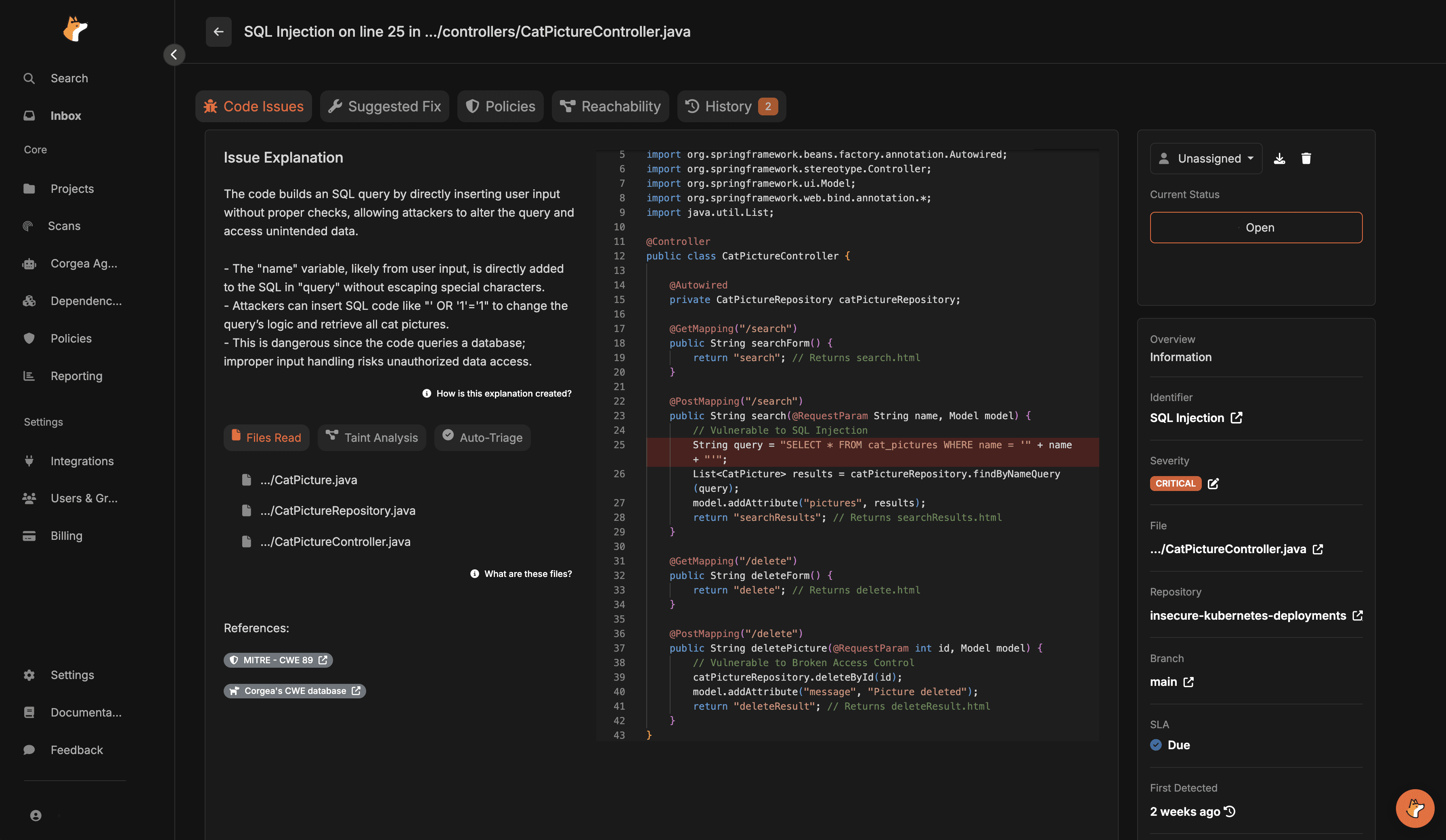
Corgea is an AI-native SAST built around four things Java teams care about:
- It is explicitly designed to detect and fix vulnerabilities, not just report them.
- It targets business logic, authorization and code flaws that are painful to model with traditional source-to-sink rules. Corgea is the only tool on this list that does this natively.
- It uses AI to cut noise. Corgea reports 2x more true positives and 3x fewer false positives than traditional scanners, with fix accuracy above 90 percent across 20+ languages and frameworks.
- It is built for CI and PR workflows, with an API for automation.
A few concrete implementation details that stood out:
- The docs call out project-level analysis and contextual intelligence (middleware, config, templates), and directly claim this reduces false positives versus traditional source-sink-only approaches.
- Java is explicitly supported, including enterprise frameworks like Spring, Jakarta EE and Play, plus Kotlin.
- Corgea has shipped automated fixes for Java since early 2024, and the fix is presented as a reviewable diff in the pull request.
- In our July 2026 benchmark against Snyk on the same vulnerable repository used in the examples above, Corgea confirmed 42 of 47 known issues (89 percent recall) versus Snyk’s 26.
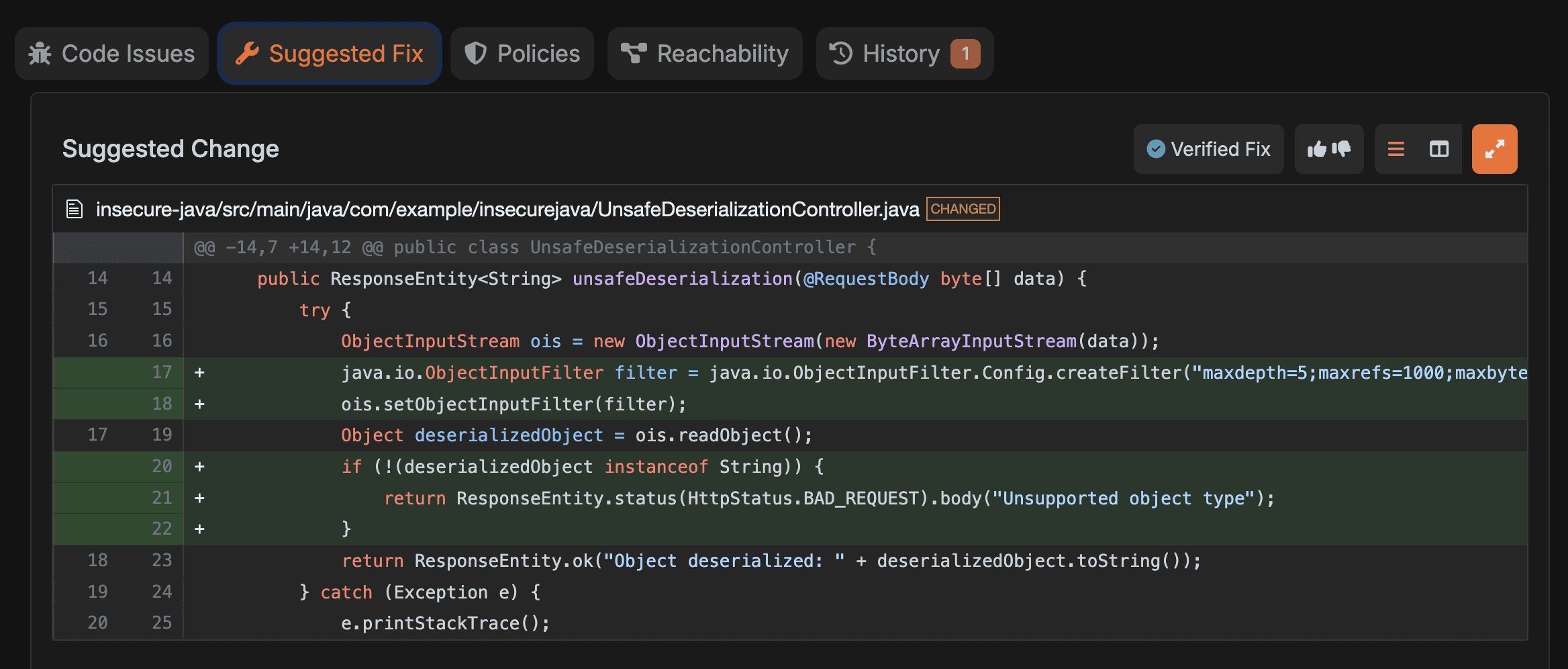
Corgea also bundles code quality scanning in the same workflow, so teams who want one PR-native tool for both security and maintainability can get there without running four scanners.
Opinion: we like security tools that make it easy to apply a fix correctly or not at all. A scanner that finds issues but does not help the engineer land the change becomes an expensive source of guilt. A second thing customers keep telling us about automated fixes: the before-and-after diff teaches developers the vulnerability class better than a paragraph of remediation advice ever did.
2. SonarQube (Server, Cloud and IDE)
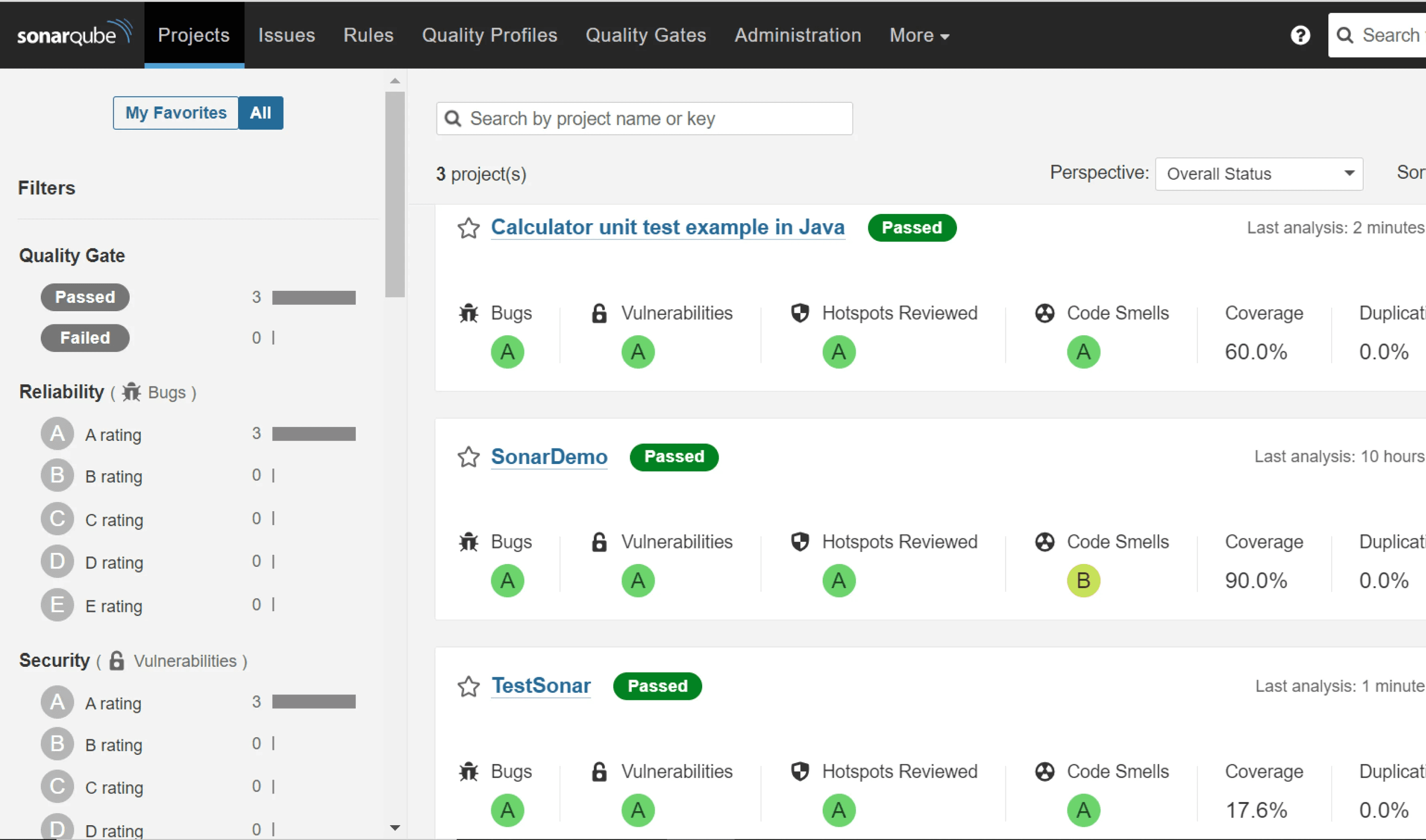
SonarQube often wins on adoption. Teams already use it for code quality, so security rules piggyback on an existing habit. If you are evaluating it primarily as a security tool, read our SonarQube alternatives guide too.
The key security capability is the “security-injection rules,” which are explicitly framed as taint vulnerabilities: user-controlled input (sources) flowing to sensitive functions (sinks), with the flow presented in the UI.
Two practical details that matter for Java orgs:
- SonarQube uses taint analysis for injection detection and maps examples to CWE categories such as SQL injection (CWE-89), XSS (CWE-79) and code injection (CWE-94). Those taint rules are a Developer Edition and above feature; Community Build gets the quality rules and security hotspots only.
- The docs note you can extend taint analysis with custom sources, sanitizers, validators and sinks for in-house frameworks, but that capability is in Enterprise Edition and above.
A tip: the first time you point Sonar at a large Spring codebase with custom sanitizer helpers, it tends to either (a) miss flows that use your helper, or (b) flag everything because it does not recognize your helper. That is not a Sonar-specific problem; that is static analysis meeting reality. The difference is whether the tool lets you teach it, and at which price tier.
3. CodeQL (GitHub code scanning)
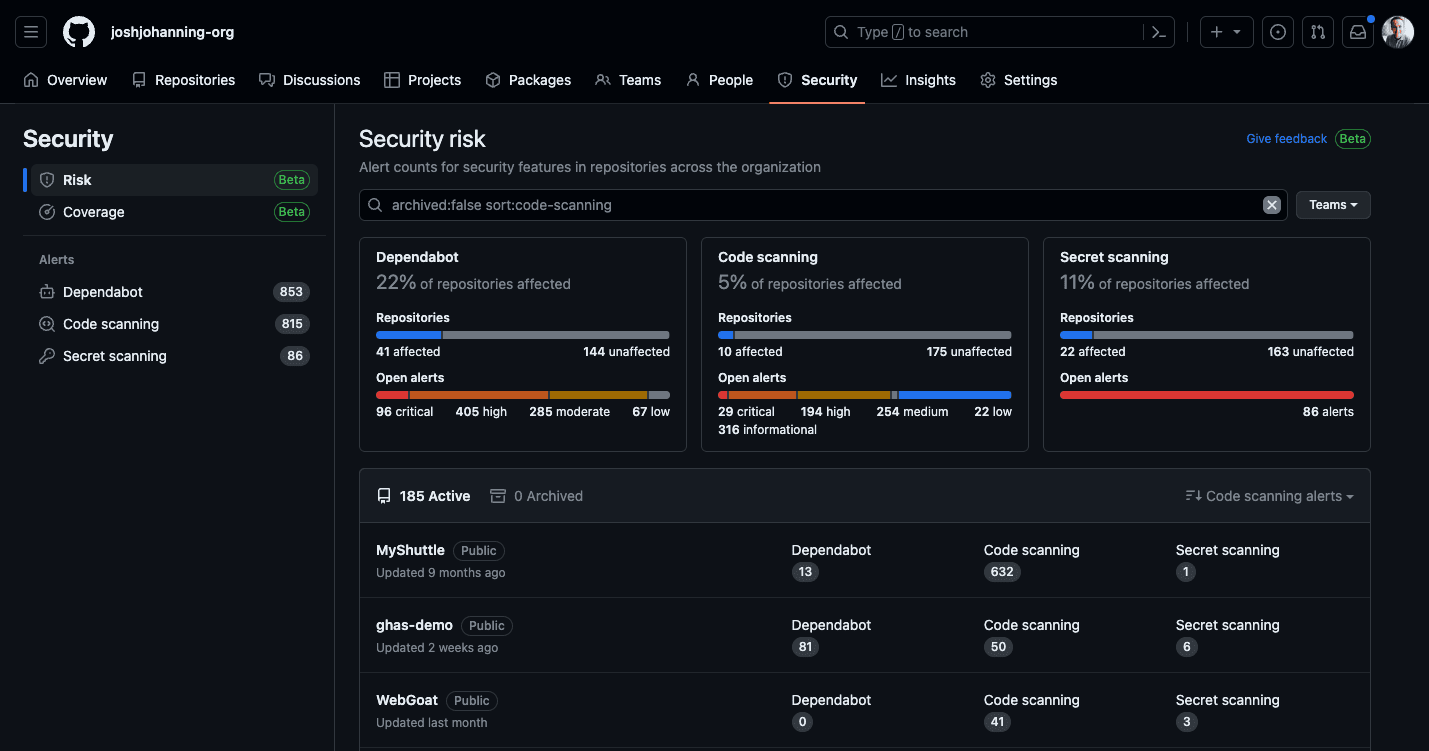
CodeQL shines when you want deep semantic analysis and you are already living in GitHub code scanning. The Java query packs model Spring MVC, JAX-RS, servlets, JDBC and a long list of common libraries, which is why its injection findings tend to be high quality.
The official model is: generate a CodeQL database and run queries against it. For compiled languages including Java, database generation can involve building and extracting data, and GitHub docs describe three build modes (none, autobuild, manual).
A few gotchas we always call out:
- CodeQL does not use LLM-based scanning to find business logic or authorization flaws; it finds what the queries model.
- If you upload more than one SARIF result for the same commit without using SARIF categories, later uploads can overwrite earlier ones. GitHub explicitly documents this for
codeql database analyze. - GitHub code scanning expects SARIF 2.1.0 and relies on consistent file paths and fingerprints to prevent duplicate alerts across runs.
- Fix suggestions come from Copilot Autofix, which is a separate GitHub feature layered on top of code scanning alerts.
If you care about tool portability, CodeQL’s first-class SARIF support is a big deal. The best tool is the one you can replace without rewriting your security pipeline.
4. Semgrep
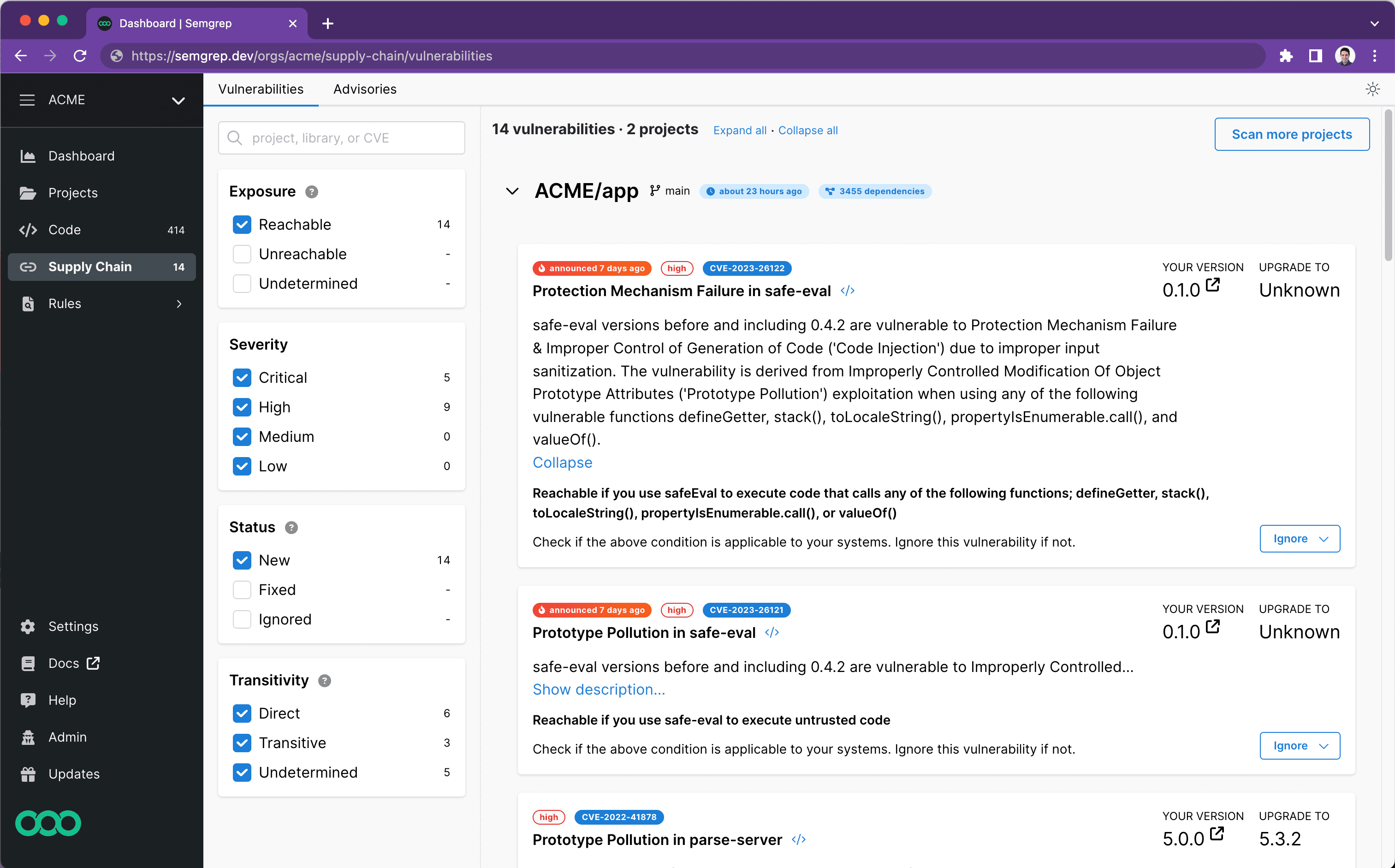
Semgrep is a strong pick when you want:
- Fast CI feedback
- Custom rules that your team can own
- A workflow model (monitor, comment, block) that maps cleanly to PR gates
Their docs describe rules as combining pattern matching and data flow analysis, with the ability to write and test your own rules beyond the registry. Writing good taint rules is real work, though (see this command injection rule for Flask for a sense of the effort), and cross-file taint tracking for Java is a paid Semgrep Code feature rather than part of the open-source engine.
For Java specifically, Semgrep’s registry rules cover OWASP Top 10 classes with CWE-mapped rules (risky crypto, OS command injection, SQL injection through JDBC, Spring-specific patterns). Rules can carry a fix: key for simple autofixes, and Semgrep Assistant adds AI-generated remediation on paid plans.
5. Snyk Code
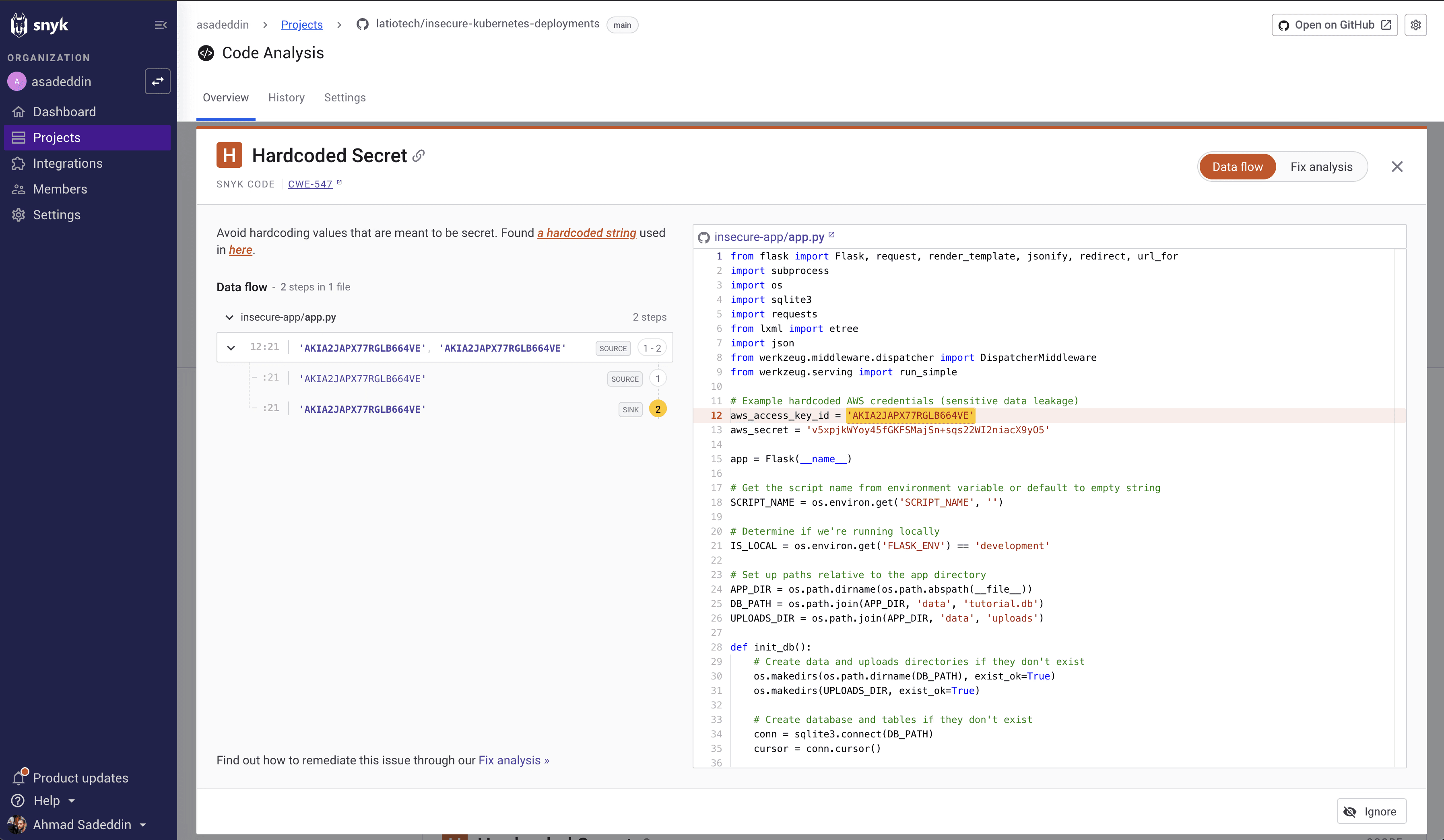
Snyk is easy to misunderstand because it spans multiple product areas (code, dependencies, containers, IaC). For pure static code analysis, you are looking at Snyk Code.
Snyk’s docs state Java and Kotlin are supported for Snyk Code, and they publish a security rules catalog. If auto-fix is important, Snyk’s AI fix documentation lists Java as supported.
This is one of those tools that “feels” good for developers (IDE and PR integration), but you still want to confirm the rule set matches your risk profile. In our head-to-head benchmark it missed several authorization and data exposure issues that require broader context than a single source-to-sink path.
6. Checkmarx One SAST
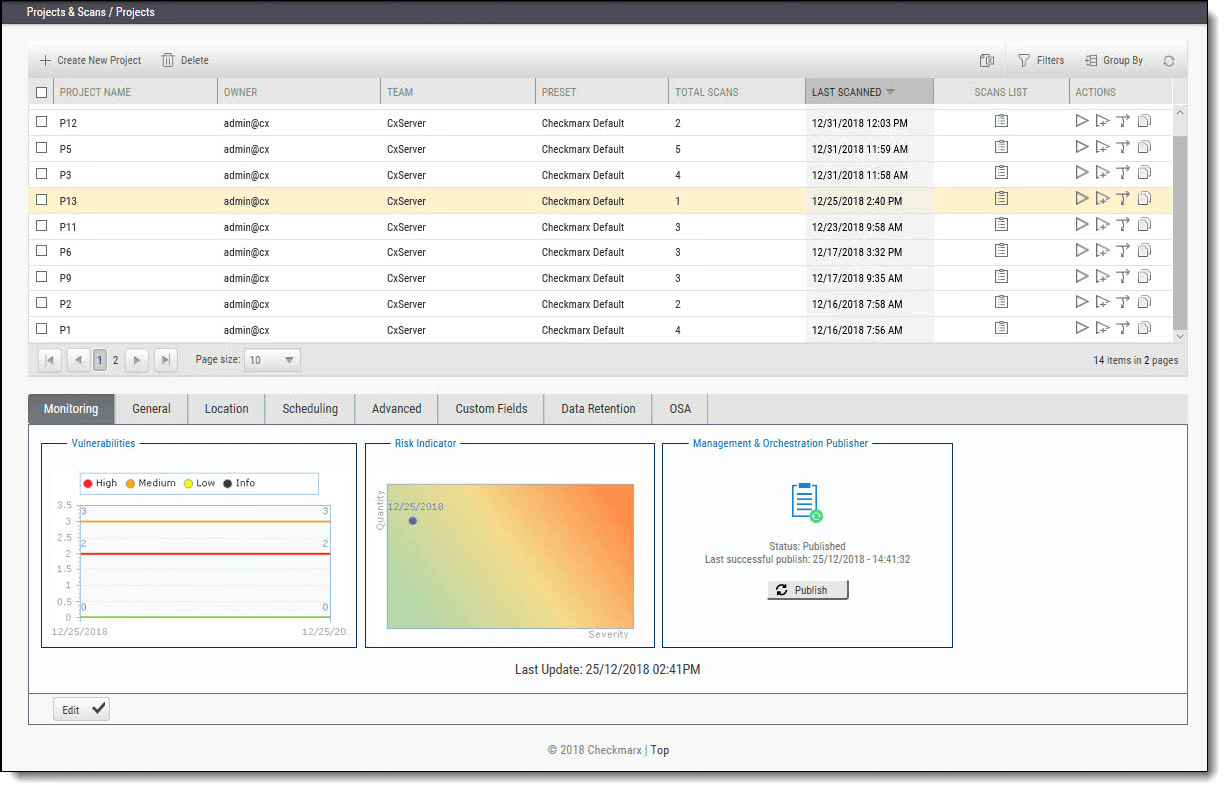
Checkmarx is the enterprise SAST with the most explicit Java framework story. The supported languages and frameworks page lists Spring Boot, Spring MVC, Struts, JSF, Hibernate, MyBatis, JSP and more, and notes that Java can be configured as a unified language with Scala.
That matters if you are scanning a classic Java web app that is more “framework glue” than pure Java. The tradeoffs are platform complexity, query tuning effort, and a heavier rollout than developer-first tools. Checkmarx has added AI-assisted remediation guidance, but the day-to-day fix workflow is still guidance rather than a ready-to-merge diff.
7. Veracode Static Analysis
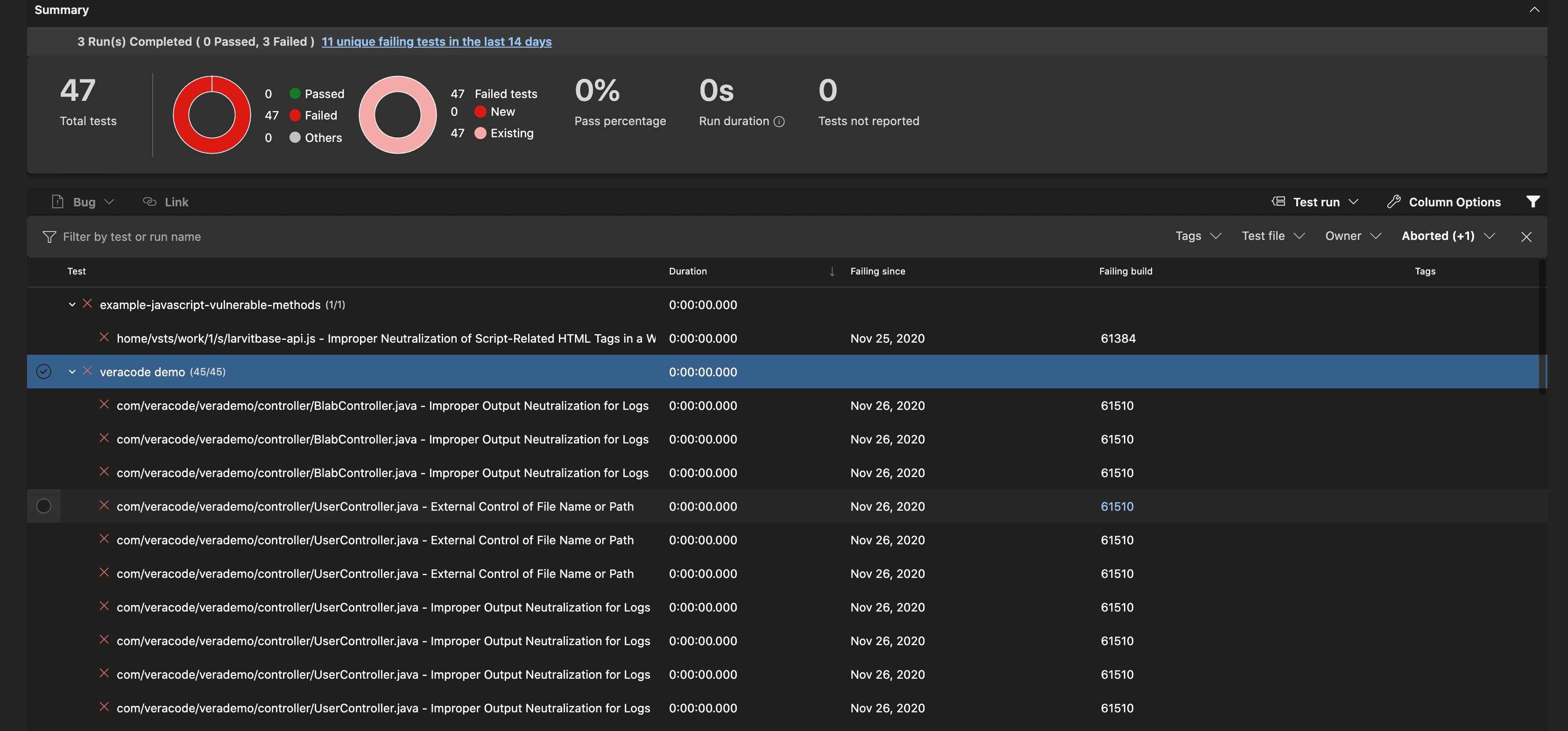
Veracode is squarely in the “enterprise SAST program” bucket.
Two reasons it ends up on lists for Java orgs:
- It publishes a specific supported-versions matrix for Java, covering a wide range of JDKs including modern versions.
- It is explicit about packaging and debug info requirements: missing debug info can remove source file and line number detail from findings, reduce quality, and increase scan times.
If you have ever had a finding that says “somewhere in this JAR, maybe,” you know why this matters. Veracode Fix adds AI-suggested patches for Java findings, which helps close the loop for teams that already live in the platform.
8. OpenText Fortify Static Code Analyzer
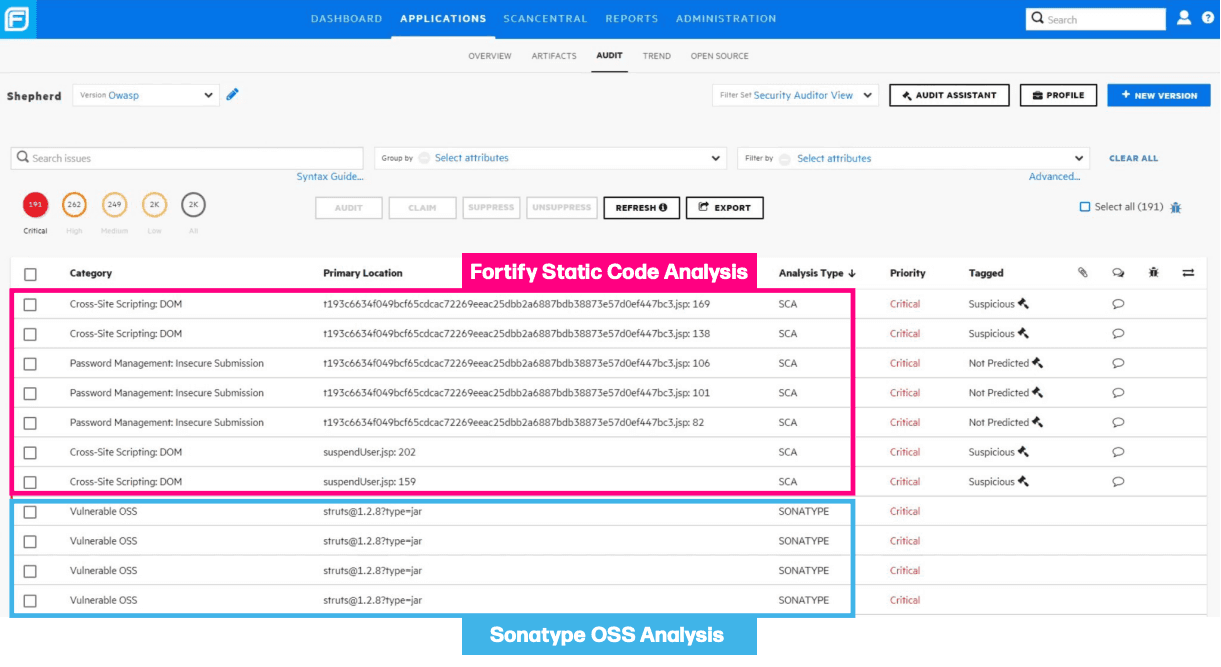
Fortify remains common in larger orgs with established AppSec programs.
From the published supported-language table, OpenText SAST supports Java (including Android) across versions 7 to 21, plus Kotlin.
Their community post claims a large catalog of vulnerability categories across many languages and APIs (vendor-claimed; treat as directional until you validate in a bake-off).
Fortify can be powerful, but it is often operationally heavier than modern developer-first tools. That is fine, just do not pretend you can roll it out without a plan for triage, baselines, and rulepack updates.
9. SpotBugs + Find Security Bugs
If you are cost-sensitive or want a fast second opinion in CI, SpotBugs remains useful.
SpotBugs is the maintained successor to FindBugs. It analyzes bytecode rather than source, which means it needs a compiled build but also catches problems in generated code. It openly acknowledges that false warnings happen.
For security, Find Security Bugs is the add-on: an OWASP-listed SpotBugs plugin for security audits of Java web apps and Android, with detectors for injection classes, crypto weaknesses, and framework-specific issues in Spring, JSP, servlets and more. Both run from Maven and Gradle plugins, so adding them to an existing pipeline is a one-line change.
This combo will not replace a full taint engine, but it catches a surprising number of “why is this code like this?” problems, especially in older codebases.
10. PMD
PMD is the workhorse Java code quality tool. It parses source into an AST and ships hundreds of rules across categories like best practices, code style, design, error-prone constructs, multithreading, performance and security. Rules can be written in Java or XPath, and the bundled CPD (copy-paste detector) is still one of the easiest ways to find duplicated logic across a large Java monorepo.
PMD is not a SAST tool. Its security category is small and pattern-based. Where it earns its place is complexity limits, unused code, and design smells that make security bugs more likely in the first place. Pair it with Maven or Gradle and a ruleset.xml you actually maintain.
11. Error Prone
Error Prone is Google’s compile-time static analyzer for Java. It hooks into javac as a compiler plugin, so it runs on every build with no separate scan step, and it reports bug patterns that the language allows but that are almost always mistakes: misused equals, dead exception handling, missing @Override, incorrect Comparable implementations, and a long list of concurrency and generics traps.
Two things make it stand out on a code quality list:
- Many checks come with suggested fixes, and Error Prone can apply them automatically with its patching flags, which is genuinely rare among Java code quality tools.
- Plugins like NullAway extend it into null-safety checking with very low overhead.
It is Java-language level only, so it has no idea what a Spring controller is. Treat it as a bug-pattern net that raises the floor for every commit.
12. Checkstyle
Checkstyle focuses on enforcing Java coding standards. It is highly configurable, ships with Google and Sun style configurations, and is commonly used to keep code style consistent and reduce review churn.
It is a linter, not a security scanner. Its value is that it removes style debates from code review entirely, which frees reviewers to look at the things a machine cannot judge. If your formatter already handles layout, trim the Checkstyle config down to naming, imports, Javadoc and size rules so it stays fast and uncontroversial.
13. Parasoft Jtest
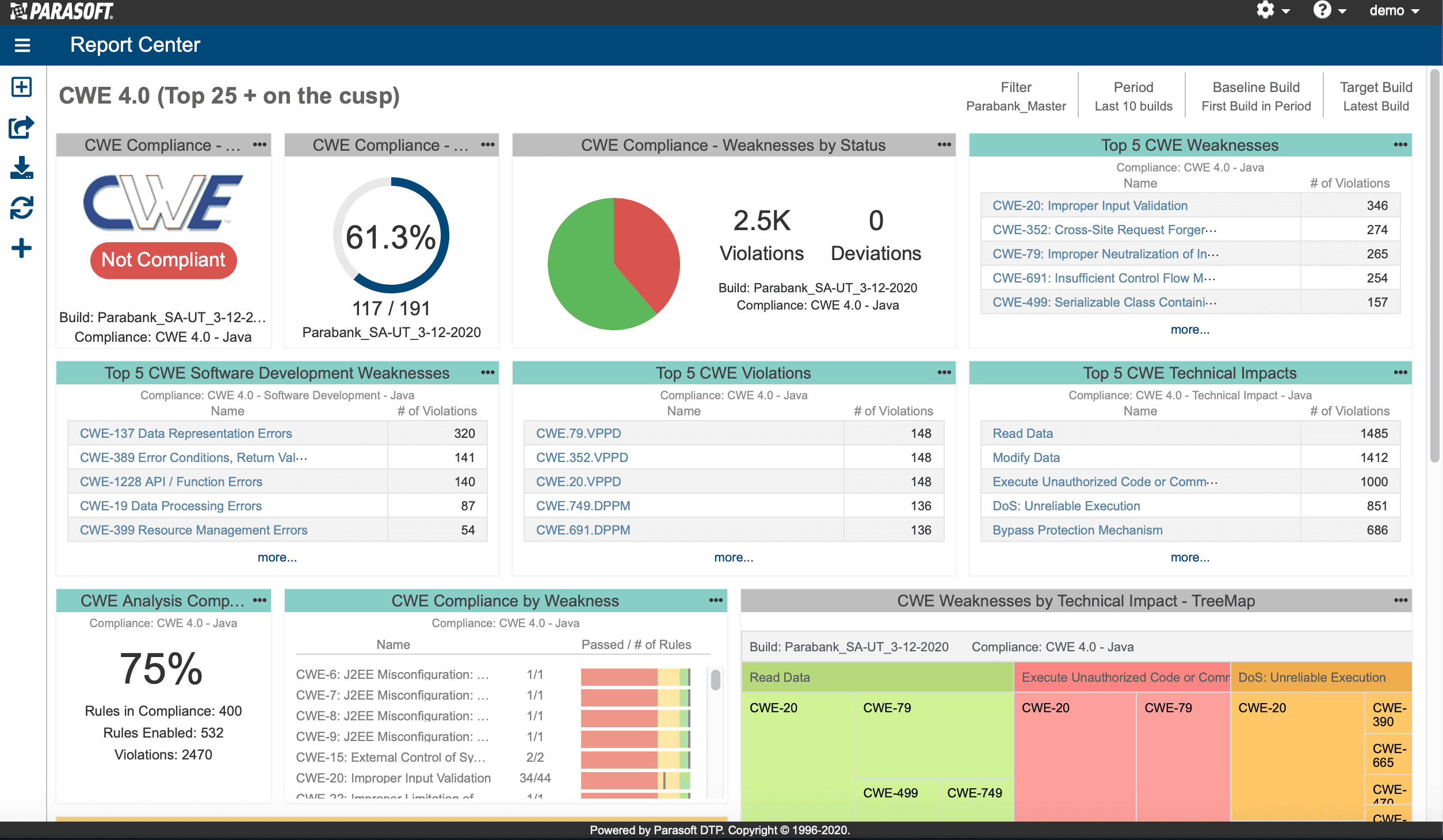
Jtest is more “Java engineering platform” than pure security SAST, but it is still relevant if your definition of the best Java static analyzer includes reliability and compliance-driven scanning.
Their docs describe static analysis as using an advanced Java parsing engine and list file types analyzed (.java, .properties, .xml, Manifest.mf). Jtest positions itself around compliance with security standards (OWASP, CWE, CERT, PCI DSS) and large rule and checker sets, which is why it shows up most often in regulated industries.
Java code quality tools (vs security tools)
A lot of people who search for Java static analysis tools are not looking for a security scanner at all. They want to keep a large Java codebase readable, consistent and low on surprises. This section is for that job. It is a different job from SAST, and the tools are cheaper, faster and mostly open source.
| Job | Tool | What it checks |
|---|---|---|
| Coding standards and style | Checkstyle | Naming, imports, Javadoc, whitespace, method and file size |
| Complexity, dead code, duplication | PMD (+ CPD) | Cyclomatic complexity, unused variables and methods, god classes, copy-pasted blocks |
| Bug patterns at compile time | Error Prone | Misused APIs, broken equals/hashCode, exception handling mistakes, null-safety with NullAway |
| Quality gates in CI | SonarQube | Coverage, duplication, maintainability rating, new-code conditions that block merges |
| Architecture rules | ArchUnit | Layer dependencies, package cycles, naming conventions, expressed as JUnit tests |
| Security + quality in one PR workflow | Corgea | Vulnerabilities with fixes, plus maintainability findings from code quality scanning |
How the categories differ in practice:
- Style and standards (Checkstyle): deterministic, zero false positives, zero security value. Run it on every commit and never argue about it again.
- Complexity and dead code (PMD): catches the methods nobody wants to touch, unused code that still ships, and duplicated logic that drifts out of sync. Some of those are security-adjacent (dead code is where old vulnerable paths hide), but PMD will not tell you which ones.
- Bug patterns (Error Prone): the highest signal-per-finding on this list because it runs inside the compiler and mostly flags things that are unambiguously wrong. It can also apply its own fixes.
- Quality gates (SonarQube): the value is the gate, not the individual rule. “No new blocker issues, 80 percent coverage on new code, no new duplication” is a policy that keeps a codebase from decaying, and SonarQube makes it visible to non-engineers.
- Architecture (ArchUnit): ArchUnit lets you assert rules like “controllers may not call repositories directly” or “no package cycles” as ordinary unit tests. It is the cheapest way to keep a Spring modulith from turning into a ball of mud.
The security scanners in the ranked list above trace attacker-controlled data through your application to a dangerous sink. None of the quality tools in this section do that, and none of the security tools are good at enforcing style. A healthy Java pipeline runs one of each: a linter and a quality gate for hygiene, and a SAST tool for exploitable bugs.
Worked example: catch command injection in a Java endpoint
Here is a small (intentionally bad) example we have seen in real internal tools and one-off admin endpoints. Someone wants to run a system command from an HTTP parameter.
String userCmd = request.getParameter("cmd");
Runtime.getRuntime().exec(userCmd);
Why this is bad: if cmd is user-controlled and reaches a command execution sink, you have a command injection path (CWE-78). Tools that do taint or data flow analysis spot this kind of flow far more reliably than lint.
How different analyzers typically treat it:
- Corgea: the AI-native SAST engine is positioned around contextual detection and automated fixing, and lists command injection (CWE-78) among detected vulnerability classes. The fix is delivered as a reviewable diff.
- SonarQube: its security-injection model is explicitly “source to sink with flow,” and command injection is called out in the security rules docs (Developer Edition and above).
- CodeQL: the Java query pack models
Runtime.execandProcessBuilderas command injection sinks, withHttpServletRequest.getParameteras a remote flow source. - Semgrep: its Java rules include a CWE-78 rule about sanitizing variables before passing them to a
java.lang.Runtimecall, this exact sink. - Find Security Bugs: the SpotBugs docs recommend it for security detectors and it lists command injection among the vulnerability types the plugin detects.
- PMD, Checkstyle, Error Prone: nothing. This code is perfectly well-formatted, non-duplicated, compiles cleanly, and is exploitable.
A lightweight “how we would fix it” (still simplified): do not execute arbitrary commands. If you genuinely need an operational action, expose a small set of allowed actions (an enum) and map each to a predefined ProcessBuilder argument list, with no string concatenation from user input.
How to choose a Java static analysis tool
Use a Java security scanner (SAST) when:
- You want security feedback before code merges, ideally in the IDE and the PR
- You have a steady stream of PRs and need scalable guardrails
- You care about OWASP Top 10 class issues like injection and insecure design, and you want systematic coverage
Do not treat SAST as the whole answer when:
- Your biggest risks are dependency versions and supply chain failures (you need SCA and SBOM workflows too)
- The vulnerability class is fundamentally behavioral (authorization logic across systems, business logic abuse) and you do not have tests, threat modeling, or reviews to back it up. Corgea is the exception on this list, because it reasons about intent rather than only matching patterns.
- Your team is not ready to triage findings. Tools do not fix issues; people and processes do, and auto-fix only helps if someone reviews it.
A practical decision path:
- Pick one security tool first. Corgea if you want the fewest false positives and fixes in the PR. CodeQL if you are fully GitHub-native and mostly open source. Checkmarx, Veracode or Fortify if procurement already has a vendor and you need compliance reporting.
- Add one quality tool you will actually enforce. Error Prone if you want zero setup and compile-time bugs. PMD plus Checkstyle if you want configurable rules. SonarQube if you need a quality gate that management can see.
- Run a bake-off on one real service, not a toy repo. Compare (a) true positives you would fix, (b) time to triage, and (c) how many findings can be resolved without a security engineer translating the output.
- Insist on SARIF output so you can aggregate results and replace tools later without rewriting your pipeline.
For a broader look at SAST across languages, see our best SAST tools comparison and the AI SAST guide.
How Corgea helps Java teams
Corgea is built around a simple idea: static analysis should produce findings that are actionable, fixable and low-noise, especially for the problems security teams actually lose sleep over (auth, business logic, injection flows). Corgea AI SAST combines detection with automated fixing, CI and PR integration, and Java framework coverage across Spring, Jakarta EE and Play, and it was ranked the best SAST auto-fixing solution in Latio Tech’s analyst benchmark.
If you are evaluating Java SAST tools, run a small bake-off on one real service. Compare true positives you would fix, time to triage, and how many findings can be resolved without a security engineer translating the output. Corgea is designed for that exact “make it shippable” workflow.
FAQ
What is the best static code analysis tool for Java?
For security-first static analysis in Java, Corgea is our top pick because it is designed to detect and fix vulnerabilities with contextual understanding of Spring and Jakarta EE, and integrates into CI and PR workflows. If you are anchored in a specific ecosystem, CodeQL (deep semantic analysis in GitHub code scanning) or SonarQube (broad adoption plus taint flows in paid editions) are often the best fits. Most teams pair one security SAST with one code quality tool such as PMD, Checkstyle or Error Prone.
Which Java static analysis tools are free or open source?
SpotBugs and Find Security Bugs, PMD, Checkstyle, Error Prone and ArchUnit are free and open source. SonarQube Community Build is free but does not include taint-based security analysis. The Semgrep open-source engine and community rules are free, and CodeQL is free for public repositories. Corgea offers a free developer tier, while Checkmarx, Veracode, Fortify and Parasoft Jtest are commercial.
What is the difference between Java code quality tools and Java security scanners?
Java code quality tools (Checkstyle, PMD, Error Prone, SonarQube quality gates) enforce style, flag complexity and dead code, and catch common bug patterns. Java security scanners (Corgea, CodeQL, Semgrep, Find Security Bugs, the enterprise SAST platforms) trace untrusted input through the application to find vulnerabilities like SQL injection, command injection, XSS and insecure deserialization, mapped to CWE categories. Quality tools rarely model attacker-controlled data flow, so you need one of each.
Does SonarQube find security vulnerabilities in Java?
Yes, with caveats. SonarQube ships security hotspot and vulnerability rules for Java in every edition, but its taint-analysis injection rules (SQL injection, XSS, command injection and similar source-to-sink flows) are available in the commercial Developer Edition and above, and custom taint configuration for in-house frameworks requires Enterprise Edition. SonarQube Community Build is primarily a code quality tool. See our SonarQube alternatives guide if security is your main goal.
Can static analysis tools auto-fix Java vulnerabilities?
Some can. Corgea generates reviewable fixes for Java vulnerabilities directly in the pull request, and Snyk Code, Copilot Autofix for CodeQL alerts, Veracode Fix and Semgrep Assistant offer AI-generated fix suggestions for Java. On the code quality side, Error Prone can apply its suggested fixes at compile time, and IDE integrations apply PMD and Checkstyle quick fixes. Always keep a human review step and validate that the fix does not change behaviour.
What is SARIF and why should I care?
SARIF is an OASIS standard JSON format for static analysis results interchange. You should care because GitHub code scanning expects SARIF 2.1.0 for third-party tool uploads, and SARIF helps you aggregate results from multiple analyzers without custom glue code.
What is the most common way teams fail at adopting a Java static analyzer?
They turn it on full blast, get overwhelmed, and then silently stop looking at results. Another frequent failure is build and packaging mistakes, especially with enterprise scanners, leading to findings without useful file and line mapping. Start with PR gating on a small set of critical rules, baseline existing findings, and scale coverage gradually.