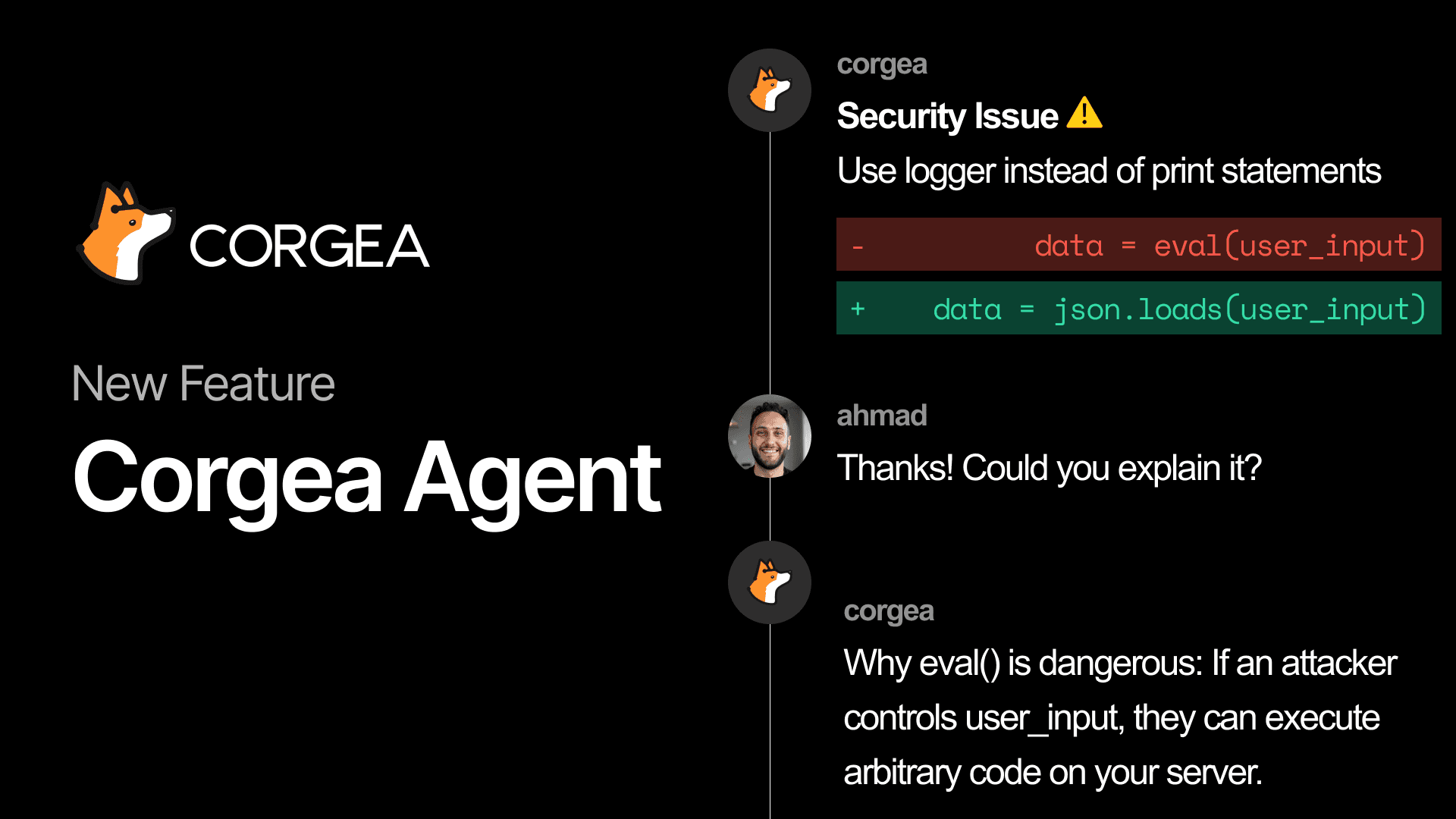
Introducing Corgea Agent: security workflow that stays inside your PR
Security findings usually show up at the worst possible time: right when a developer is trying to ship. What happens next is predictable, context switching, back-and-forth in Slack, someone has to “go check the dashboard,” and the PR turns into a negotiation about whether the issue is real, fixed, or just noise.
Corgea Agent is built to cut that loop down to a few comments as part of Corgea developer experience.
It brings Corgea into the place developers already work: the pull request. And it gives security teams a clean, auditable trail of what happened and why.
> Corgea team has invested heavily in modern, AI-first developer experiences. Developers can interact directly with pull request comments through chat-based workflows that feel natural and intuitive. This creates reviews that resemble thoughtful, informed security feedback rather than rigid pipeline blocks that disrupt development.
>
>  >
> James Berthoty - Industry Analyst from Latio
>
> James Berthoty - Industry Analyst from Latio
The pain we’re fixing
For developers
It’s our firm belief that developers shouldn’t leave the places they work. As crazy as this sounds, our goal at Corgea is to never have developers feel the need to log into Corgea. This builds on the same workflow strategy behind our Bitbucket integration, GitHub, GitLab, and Azure DevOps support. This means a product that feels developer friendly and intuitive, but that’s not the case today with security tools:
-
You’re in a PR, you see a security comment, and now you have to leave your workflow to understand it.
-
Even when you do understand it, updating the security tool (false positive / accepted risk / fixed) is usually a separate step.
-
If you need context (“why is this SQLi?”), you end up hunting for details in yet another UI.
For AppSec and CISOs
Getting quick insights into things always feels painful. Dashboards and reporting pages are rigid and leave you wanting more.
-
PR discussions are messy, and the “final decision” often lives in an unstructured thread.
-
It’s hard to answer basic questions quickly: What’s blocking merges? What’s trending? Who’s engaging? Where are we accepting risk?
-
You need decisions to be auditable, not tribal knowledge.
What Corgea Agent does in the PR
When Corgea detects security issues in a pull request, the agent:
-
comments on the vulnerabilities,
-
watches for developer responses,
-
interprets intent, and
-
takes action based on the comment.
You can respond right where the finding appears, either by replying directly to Corgea’s issue comment. In many cases you don’t even need the mention if you’re replying in-thread. Corgea will figure out what to do. Customers who have enabled Corgea Agent have seen developers organically use it by just providing a simple comment on the issue. No @ tagging needed.
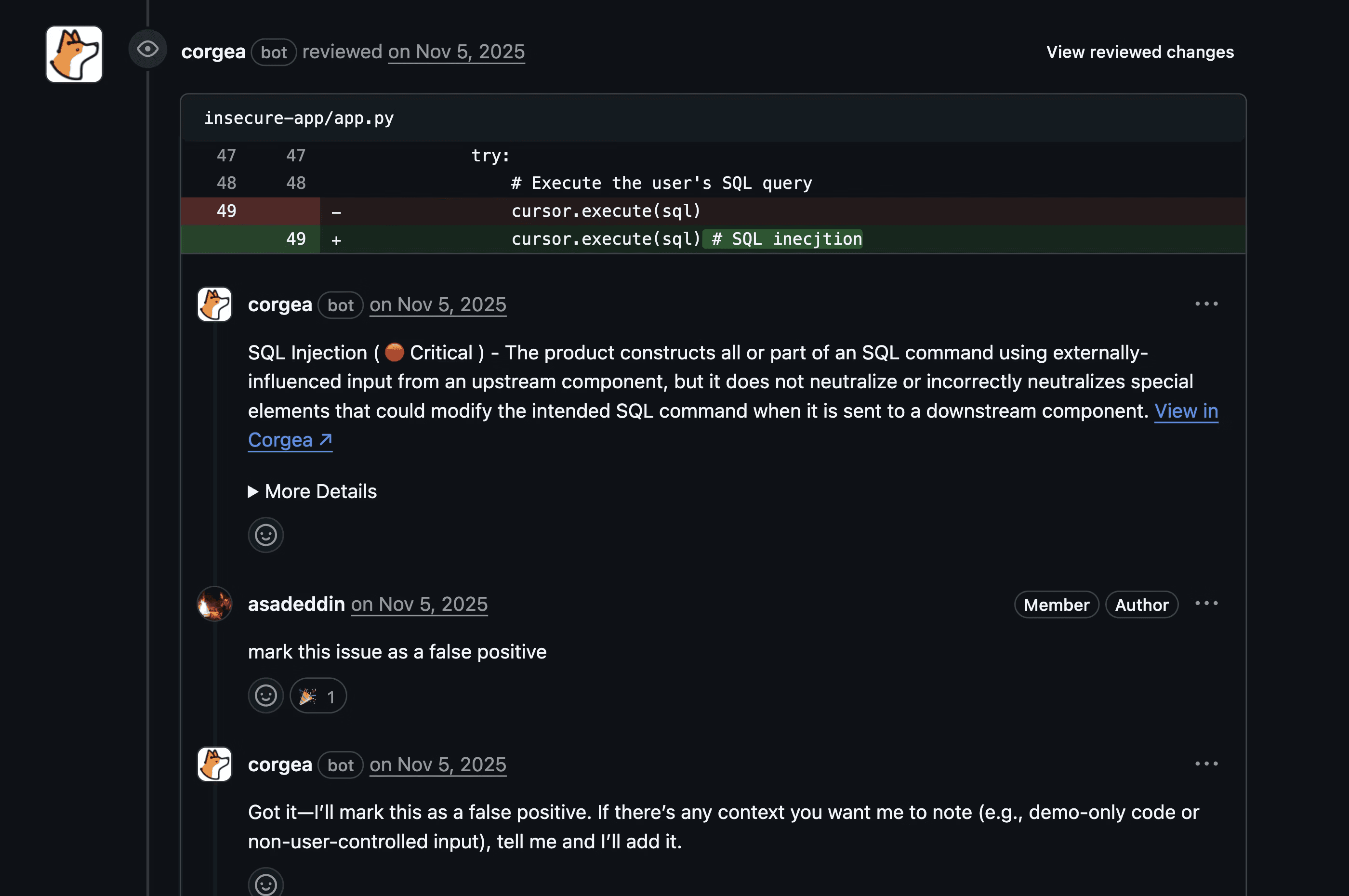
Corgea Agent supports the PR actions developers actually need during review:
-
Mark as false positive → removes the issue from blocking and records feedback
-
Ask for more information → the agent explains the issue, impact, and remediation guidance
-
Accept risk → stops blocking the PR and logs the risk acceptance
-
Mark as fixed → updates the issue state based on the latest commit
-
Mark as duplicate → links the issue (when possible) and removes it from the active count
-
Mark as in progress → tracks that work is underway
Here’s what that feels like day-to-day:
-
“This input is already sanitized in middleware” → Corgea will mark it as a false positive with this reasoning
-
“Legacy code we’re deprecating next quarter” → Corgea will mark it as an accepted risk with this reasoning
-
“Can you explain why this is considered SQL injection?” → Corgea will explain the issue more
The goal isn’t to make developers learn a new tool. The goal is to let them finish the PR with the right security decision, without breaking flow.
Insights for security teams (without chasing PR threads)
You might be wondering, well how can I supervise all of this? Every PR interaction with Corgea Agent is logged in Feedback History, so security teams can see what happened across repositories and over time. You can review actions taken via PR comments, filter by action type, user, or date range, and even see confidence levels for how comments were interpreted.
Teams that use the Corgea agent have reported developer feedback they’ve never heard for the first time, and that developers would rather talk to the Corgea Agent than their own security teams
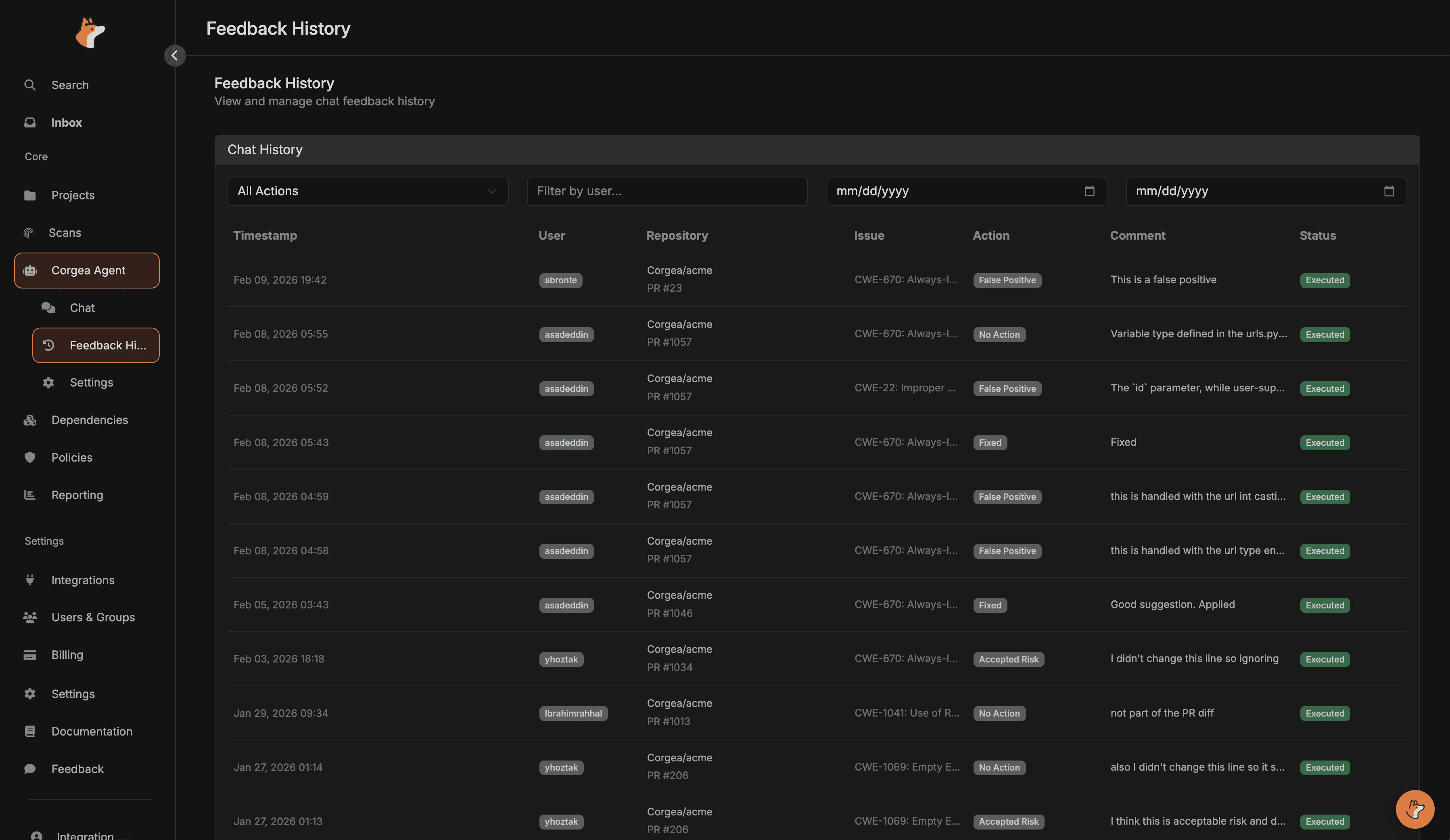
This is the second core use case: security teams get real insight, not anecdotes.
-
Who is marking findings as false positives the most?
-
Where are we accepting risk, and is it justified?
-
Are developers engaging quickly, or are findings being ignored?
You get the answers without having to re-litigate old PRs.
Then the web view: one place to ask “what’s going on?”
Corgea Agent also includes a web chat interface in the Corgea dashboard for exploring your security posture: digging into specific issues, analyzing scans over time, and querying vulnerability data by severity, project, or type.
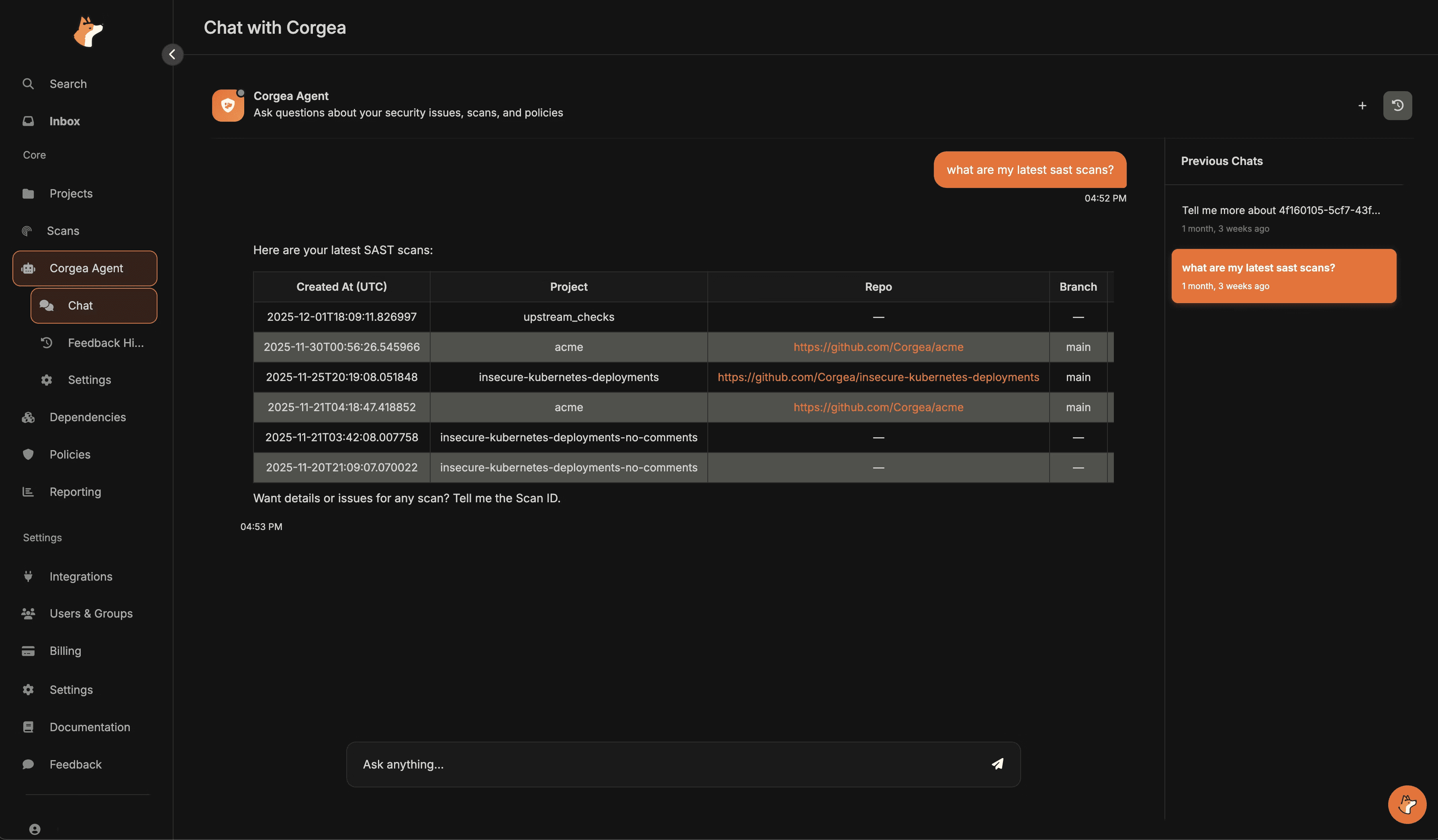
Think of it as the fastest way to ask questions like:
-
“Show me all critical issues in our latest scan.”
-
“List all SQL injection findings in project X.”
-
“What blocking rules are currently active?”
The PR experience is about closing the loop where the code changes.
The web chat is about understanding the bigger picture.
Supported platforms
Corgea Agent is designed for PR-driven workflows across GitHub, GitLab, Azure DevOps, Bitbucket, and Azure DevOps.
Privacy and security
Agent interactions are scoped to your company’s data, and the agent only accesses what your user account has permission to view. PR comment actions are logged and auditable, and the agent is designed to avoid exposing sensitive credentials or internal implementation details.
Getting started
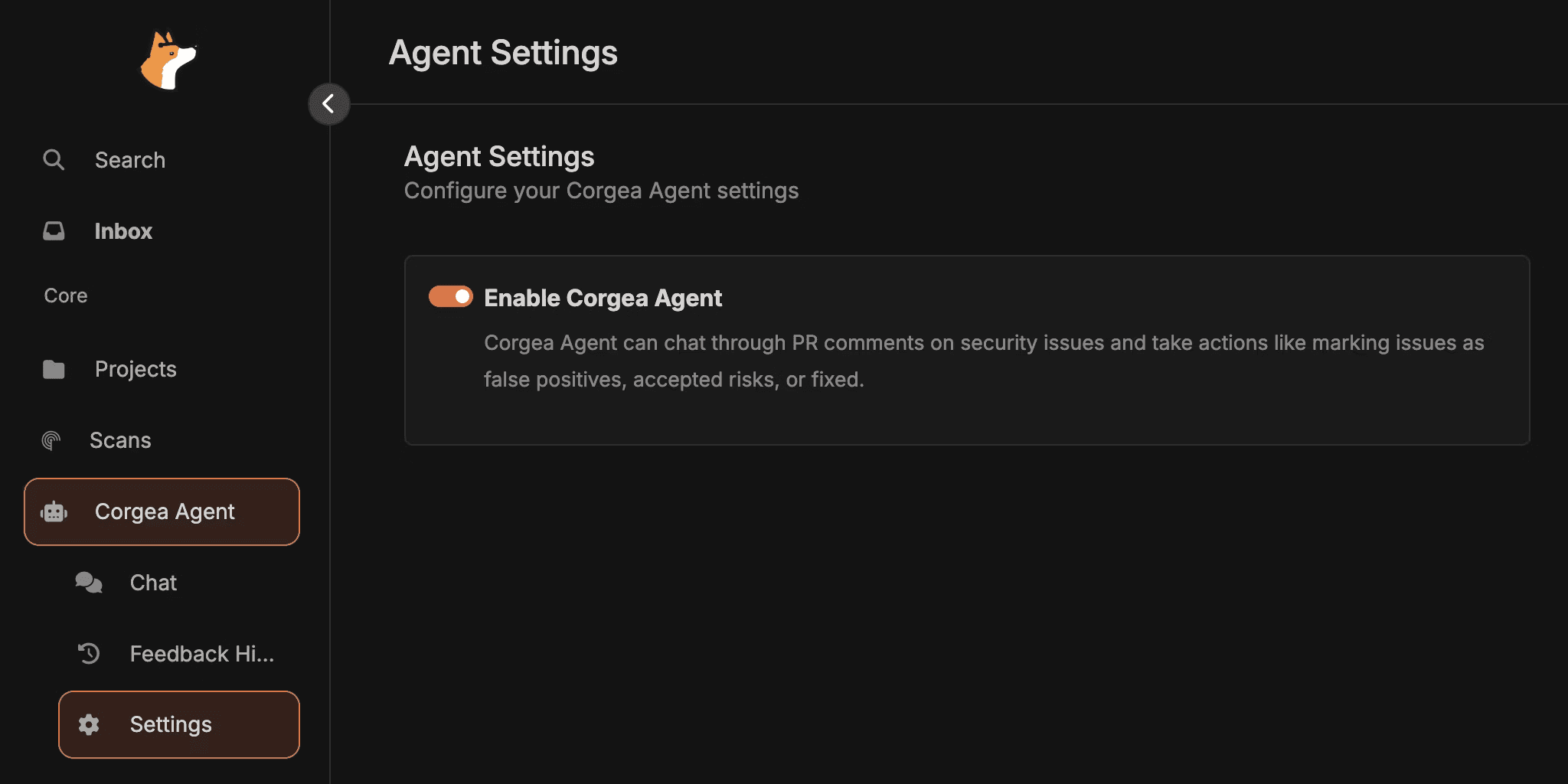
Corgea Agent is enabled by default to all customers however, if you want to see how to do so: head to Corgea Agent → Settings to enable it, ensure your source control integration has permission to read/post PR comments and access repo content, and confirm webhooks are configured. A quick smoke test is commenting hello on a vulnerability in a test PR to verify the agent responds. Check out our docs for more information.