


If your org lives in Bitbucket, you’ve probably had to choose between security coverage and developer flow. Most AppSec tooling still assumes you’ll wire up custom CI jobs, manage tokens in pipelines, and debug “why didn’t the scan run?” when a webhook or runner flakes.
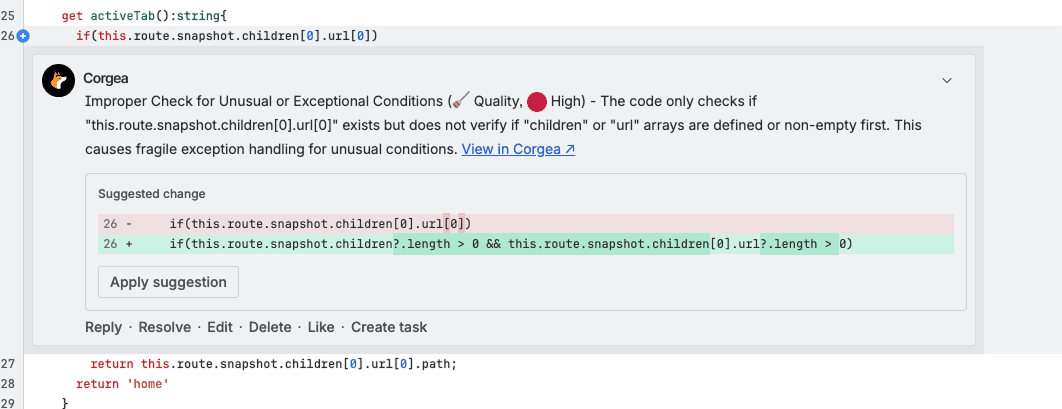
We built the Bitbucket integration to feel like our GitHub, GitLab, and Azure DevOps integrations: API-native, PR-first, and low-maintenance, so you can ship security feedback where devs already work, without turning CI/CD into a science project. It is part of Corgea developer experience.
No messy CI/CD work
This integration is designed to avoid the usual setup tax:
-
No pipeline YAML to maintain
-
No runners to babysit
-
No “which repo has the right config?” drift
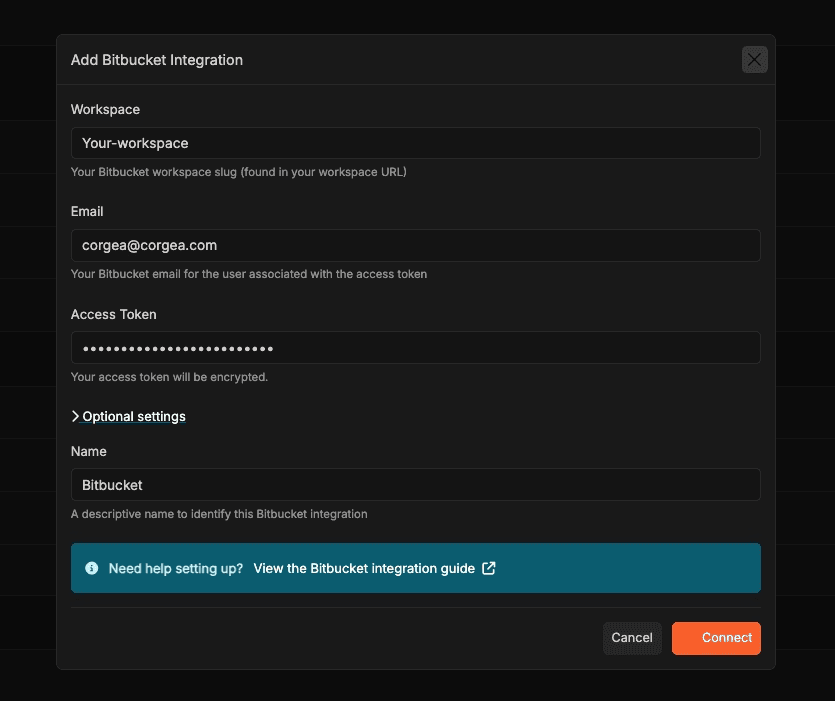
Connect via Bitbucket API token + workspace, and Corgea handles the rest, including webhook configuration.
What you can do with it
Once connected, Corgea can:
-
Scan Bitbucket projects and keep results tied to the repo and pull request workflow.
-
Open pull requests for code fixes directly from Corgea, no copy/paste, no “here’s a suggested patch” that dies in a ticket queue.
-
Set up webhooks automatically during integration, so you don’t have to manually create and maintain webhook configs.
Corgea Agent is available in Bitbucket
Bitbucket PRs shouldn’t be a dead end for security collaboration.
With Corgea Agent enabled, developers can interact with findings right in Bitbucket pull request comments, the same way they do in GitHub/GitLab/Azure DevOps. The agent can respond to commands and take actions like marking an issue as a false positive, accepting risk, or confirming a fix.
And for security teams, the web chat interface is still there when you want to ask higher-level questions across scans and projects.
Fully live in 1 day
Most teams can go from “we use Bitbucket” to “Corgea is commenting and fixing” in a day:
-
Create a Bitbucket API token with the needed scopes (repo, PR, and webhook permissions).
-
Add Bitbucket under Integrations in Corgea (workspace slug, email, token).
-
Turn on Corgea Agent (optional, but recommended) and start interacting in PRs.
If Bitbucket is where code moves, Bitbucket is where security should show up. Add the Bitbucket integration in Corgea today, connect a workspace, and you’ll be scanning and creating fix PRs without touching your CI pipelines.