
If you’re evaluating SonarQube vs Checkmarx, you’re probably deciding between two mature security platforms that solve different problems. SonarQube is widely adopted by engineering teams that want code quality, maintainability, and static analysis built into everyday development. Checkmarx is a more security-team-centered application security platform with broad AST coverage across code, dependencies, APIs, containers, infrastructure, and posture management. Both are credible options, and both have real trade-offs around scope, cost, operational complexity, and remediation ownership. Corgea takes a different approach: it can work alongside SonarQube, Checkmarx, and other scanners to turn findings into verified code fixes submitted as pull requests, so security teams are not just adding more alerts to the developer backlog.
TL;DR: SonarQube excels at integrated code quality, SAST, taint analysis, secrets detection, and developer workflow adoption. Checkmarx is strongest in enterprise application security testing breadth across SAST, SCA, DAST, API security, IaC, containers, secrets, and ASPM. Both detect vulnerabilities but leave remediation to your developers. Corgea can detect business logic flaws, and authentication vulnerabilities, and auto-generate verified code fixes as pull requests — turning detection into resolution.
What Is SonarQube?
SonarQube is a code quality and static analysis platform from SonarSource. It helps engineering teams inspect code for bugs, maintainability issues, coverage gaps, vulnerabilities, and security hotspots. The product is available as SonarQube Cloud and self-managed SonarQube Server, with commercial editions adding pull request analysis, additional languages, governance, enterprise integrations, and advanced security capabilities.
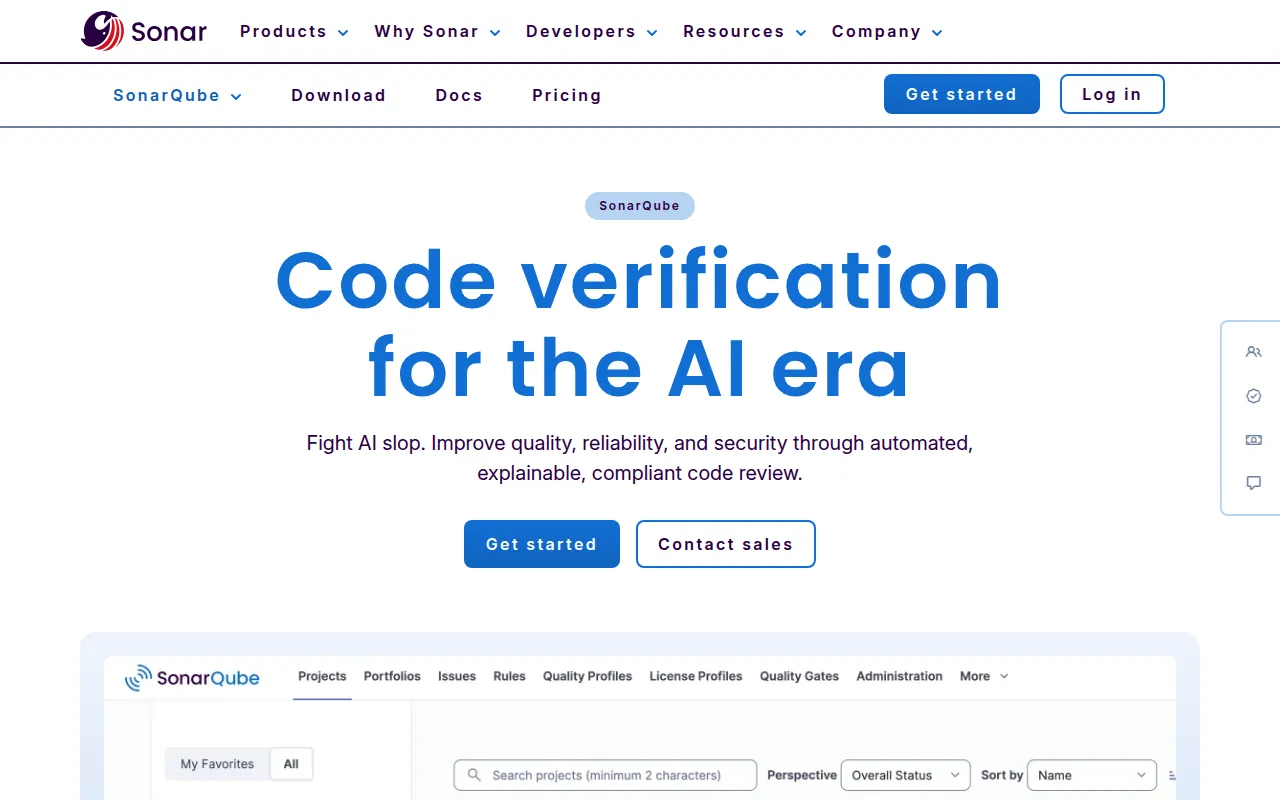
For many organizations, SonarQube starts as a CI/CD quality gate rather than a standalone AppSec platform. Developers understand the workflow, quality gates can block risky changes, and the same dashboard covers reliability, maintainability, and security. As of 2026, SonarQube supports 30+ languages and frameworks in cloud Team plans and 36+ in Enterprise, with IaC analysis for Terraform, Kubernetes, Docker, CloudFormation, Azure Resource Manager, and Ansible.
Key capabilities include:
- Static analysis and SAST for code vulnerabilities, security hotspots, bugs, and maintainability issues.
- Taint analysis for data-flow-driven detection of injection and related vulnerability classes.
- Secrets detection and IaC scanning built into the core code security workflow.
- Quality gates and pull request decoration for GitHub, GitLab, Bitbucket, and Azure DevOps workflows.
- Advanced Security add-on for Enterprise customers, adding SCA, SBOMs, license management, malicious package detection, and deeper dependency-aware SAST.
Known limitations and trade-offs:
- Security coverage is strongest around code analysis, while broader AppSec categories such as DAST and full container image scanning usually require other tools or integrations.
- SCA and advanced SAST require Advanced Security, which is an Enterprise add-on rather than a baseline capability for every SonarQube user.
- Pricing and deployment differ by product line, with SonarQube Cloud priced by private lines of code and SonarQube Server licensed per instance per year by LOC capacity.
What Is Checkmarx?
Checkmarx is an enterprise application security company best known for SAST and now centered around Checkmarx One, a cloud-native AppSec platform. Checkmarx One consolidates security testing engines and posture management capabilities for security teams and developers. Its public materials position it as covering SAST, SCA, secrets detection, IaC security, container security, API security, DAST, ASPM, developer enablement, and AI-era supply chain governance.
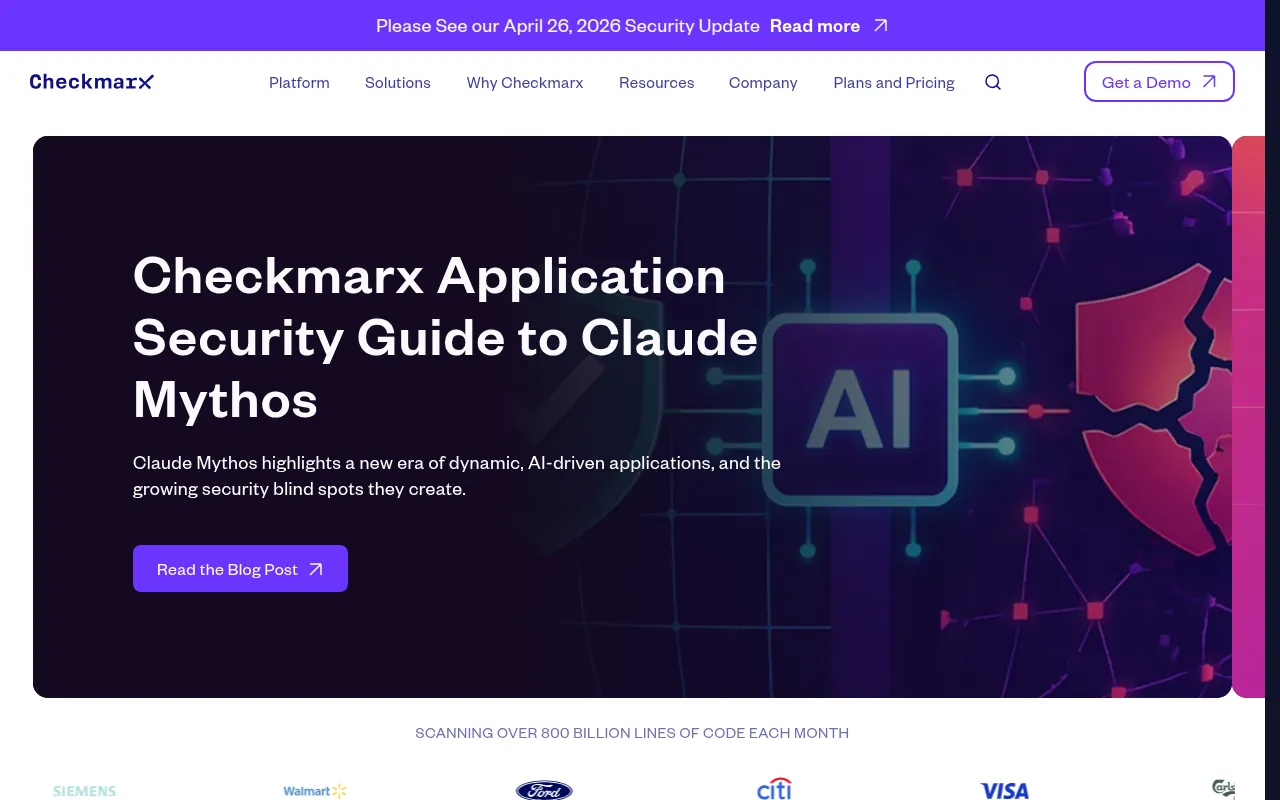
Checkmarx tends to appeal to larger organizations that want centralized policy, reporting, workflow controls, and broad AppSec coverage. The platform advertises support for 75+ languages, 100+ frameworks, and 75+ technologies, with integrations across source control, IDEs, CI/CD, issue trackers, and enterprise workflows. In 2026, Checkmarx also announced agentic features such as Triage Assist, Remediation Assist, AI SAST, AI Supply Chain Security, and DAST for AI.
Key capabilities include:
- Broad AST coverage across SAST, SCA, secrets, IaC, containers, API security, and DAST.
- ASPM correlation and prioritization to help teams understand what is exploitable and actionable.
- Enterprise SAST heritage with policy controls, reporting, and support for complex portfolios.
- Developer workflow integrations including IDE, SCM, CLI, CI/CD, ticketing, and API workflows.
- AI-assisted triage and remediation guidance through Checkmarx One Assist, Triage Assist, and Remediation Assist.
Known limitations and trade-offs:
- It is a broad enterprise platform, so rollout, tuning, and ownership can be heavier than simpler developer-first tools.
- Pricing is not transparent self-service pricing, and typically requires a sales conversation based on modules, scale, and deployment needs.
- AI remediation capabilities are promising but still vendor-scanner-centric, so teams with existing mixed scanner stacks may still need a separate way to turn third-party findings into code fixes.
What Is Corgea?
Corgea is an AI-powered application security platform built around remediation, not just detection. It can provide its own AI-native analysis, but it is also designed to work with the scanners teams already use. That includes SonarQube, Checkmarx, Snyk, Semgrep, GitHub Advanced Security, Veracode, Coverity, and other major AppSec tools.
The core difference is workflow. Corgea takes validated security findings, analyzes the affected code in context, generates a fix, verifies the change, and opens a pull request for developers to review. That fits naturally into GitHub, GitLab, Bitbucket, Azure DevOps, Jira, and CI/CD processes because the output is a code change, not another dashboard item.
That matters for mature scanning programs. Backlogs grow because fixes compete with feature work, ownership is unclear, and alerts are noisy. Corgea reduces MTTR by moving from “someone should fix this” to “here is a reviewed, testable PR.”
SonarQube vs Checkmarx vs Corgea: Comparison Table
| Feature | SonarQube | Checkmarx | Corgea |
|---|---|---|---|
| Primary Focus | Code quality, static analysis, and secure code quality gates | Enterprise AppSec testing and ASPM platform | Auto-remediation of vulnerabilities |
| SAST | ✅ Core SAST, taint analysis, security hotspots, Advanced SAST add-on | ✅ Mature SAST plus AI SAST for broader language scenarios | ✅ AI-native SAST - Can detect business logic flaw and auth issues |
| SCA | ⚠️ Available through Advanced Security add-on for Enterprise | ✅ Native SCA and supply chain security | ✅ SCA with AI Reachability |
| DAST | ❌ No native full DAST product | ✅ Native DAST and DAST for AI positioning | ⚠️ Works with existing DAST findings and workflows rather than replacing every DAST tool |
| IaC Scanning | ✅ Terraform, Kubernetes, Docker, CloudFormation, ARM, Ansible, and related formats | ✅ Native IaC security | ✅ Native IaC scanning |
| Container Scanning | ⚠️ Container SBOM import can support dependency analysis; not a full image scanner | ✅ Native container security | ✅ Native container/image scanning |
| Secrets Detection | ✅ Native secrets detection | ✅ Native secrets detection | ✅ Native secrets detection |
| Auto-Remediation / AI Fix | ⚠️ AI CodeFix suggestions in supported plans/workflows | ⚠️ AI remediation guidance and Remediation Assist in supported workflows | ✅ AI-generated PRs |
| CI/CD Integration | ✅ GitHub, GitLab, Bitbucket, Azure DevOps, quality gates, PR decoration | ✅ SCM, IDE, CLI, CI/CD, ticketing, and API integrations | ✅ GitHub, GitLab, Bitbucket, Azure DevOps, PR-driven workflows |
| False Positive Handling | ✅ Quality profiles, taint analysis, severity, security hotspots, quality gates | ✅ ASPM correlation, risk prioritization, Triage Assist, policy controls | ✅ Fixes real issues, deprioritizes noise |
| Pricing Model | LOC-based; Cloud Team starts at published monthly pricing, Server is annual LOC capacity | Custom enterprise pricing based on modules, scale, and deployment | Free tier, Growth $39/dev/month, Scale $49/dev/month, Enterprise custom |
| Deployment | SonarQube Cloud SaaS or self-managed SonarQube Server | Primarily Checkmarx One SaaS with enterprise deployment options | SaaS with enterprise single-tenant option |
Security Coverage: SonarQube vs Checkmarx vs Corgea
The core SonarQube vs Checkmarx coverage question is whether you need secure code quality in engineering workflows or a broader enterprise AppSec platform. SonarQube is strongest when the security program is tied to code quality. It analyzes code for reliability, maintainability, vulnerabilities, security hotspots, secrets, and IaC issues, then enforces results through quality gates and pull request decoration. Advanced Security extends this with SCA, SBOM generation, license management, malicious package detection, and dependency-aware SAST, but those capabilities sit in the Enterprise add-on tier.
Checkmarx covers a wider AppSec surface out of the box for enterprise buyers. Checkmarx One brings together SAST, SCA, secrets, IaC, containers, API security, DAST, ASPM, developer training, and risk correlation. That breadth helps centralized AppSec teams standardize across many business units, languages, and application types. The trade-off is platform weight: broad coverage often means more policy design, onboarding, triage design, and operational ownership.
Corgea focuses coverage around actionability. It provides AI-native SAST, dependency scanning, secrets detection, container scanning, IaC scanning, reachability analysis, and business logic and authentication vulnerability detection, but also integrates with existing scanner estates. If SonarQube covers quality gates and Checkmarx covers enterprise AST, Corgea can sit above those results and remediate the issues that matter. For teams comparing coverage alone, Checkmarx is broader. For teams comparing outcomes, Corgea changes the question from “what can we find?” to “what can we fix?”
See our Snyk vs Checkmarx comparison ->
Auto-Remediation: Where Both Tools Fall Short
SonarQube and Checkmarx both recognize that remediation is the hard part, but their roots are still in detection. SonarQube identifies issues, explains why they matter, tracks quality gates, and in supported plans provides AI CodeFix suggestions. That keeps guidance close to code review. Still, the normal operating model is that a developer or security engineer reviews the finding, decides whether it is real, implements the fix, tests it, and merges it.
Checkmarx has moved further into AI-assisted remediation. Checkmarx One Assist, Developer Assist, Triage Assist, and Remediation Assist explain findings, prioritize risk, and generate review-ready fixes for validated vulnerabilities in supported workflows. That is a meaningful improvement over older scan-and-ticket models. The limitation is not that Checkmarx lacks remediation features. It is that remediation is still primarily attached to Checkmarx’s own platform context and often remains part of a developer handoff process.
Corgea is built for the step after detection, regardless of where the finding came from. It can consume results from SonarQube, Checkmarx, Semgrep, Snyk, GitHub Advanced Security, Veracode, Coverity, and other scanners, then generate verified pull requests. That matters when your environment has multiple tools, owners, and years of accumulated findings. A suggested fix inside a scanner UI is helpful. A tested pull request against the affected repository is closer to real remediation.
This is why auto-remediation is the most important difference in the comparison. SonarQube and Checkmarx help teams see risk earlier and with more context. Corgea closes the loop by producing the code change. If developers already have more scanner findings than they can act on, the highest-leverage improvement is often a system that turns validated findings into PRs.
Developer Experience & CI/CD Integration
SonarQube has a strong developer experience because it fits naturally into engineering rituals. Developers see issues in pull requests, IDEs through SonarQube for IDE, and CI quality gates. Security and quality issues share the same vocabulary: rules, profiles, hotspots, duplications, bugs, vulnerabilities, coverage, and maintainability. That makes SonarQube approachable for teams that do not want AppSec to feel like a separate process.
Checkmarx also integrates deeply into developer workflows, but the platform usually starts from an AppSec program perspective. Checkmarx One supports SCM, IDE, CLI, CI/CD, ticketing, API, and enterprise integrations, and Checkmarx One Assist keeps guidance in the IDE. The developer experience can be strong, but adoption depends on how well the security team tunes policies and risk thresholds. If every finding becomes a ticket, developers will resist it. If ASPM context, prioritization, and IDE guidance are configured well, Checkmarx can fit into high-scale enterprise delivery.
Corgea plugs into the same delivery systems with a different output. Instead of asking developers to leave their flow to interpret alerts, it opens pull requests with context-aware fixes. That is a better match for teams that already trust code review and CI/CD as the final control point. When one group runs SonarQube for quality gates and another runs Checkmarx for enterprise AppSec, Corgea can still create a consistent remediation workflow across both.
Accuracy & False Positive Rates
Accuracy is difficult to compare because SonarQube and Checkmarx optimize for different buyer needs. SonarQube reduces noise through quality profiles, issue severity, security hotspots, taint analysis, and quality gates. Developers can tune rules, mark issues, and focus on what violates the team’s agreed quality bar. For code quality and mainstream static analysis, this model is practical. The trade-off is that SonarQube may not cover every deep security testing workflow a dedicated AppSec team expects.
Checkmarx uses broader platform context to address noise. Its ASPM layer correlates findings across code, dependencies, containers, cloud context, and other signals to prioritize what is exploitable and actionable. Triage Assist and risk-based prioritization can be valuable at enterprise scale, where the biggest problem is often deciding which findings deserve scarce developer time. The trade-off is complexity: risk correlation only works well when application inventories, integrations, ownership, and policies are maintained.
Corgea treats accuracy as an actionability problem. A finding that can be traced, contextualized, fixed, and validated is more useful than a finding that only contributes to a risk score. Corgea’s reachability analysis, business logic and authentication testing, false-positive reduction, and verified fix generation help teams spend less time arguing over theoretical issues. Scanners can still produce noise, but Corgea prioritizes issues that can become real code changes.
Pricing & Total Cost of Ownership
SonarQube pricing is more transparent than many enterprise AppSec tools, but the model depends on whether you use Cloud or Server. SonarQube Cloud has published tiers, including a free tier for limited private code and Team pricing with a monthly LOC-based entry point. SonarQube Server is self-managed and licensed per instance per year based on lines of code capacity, with Developer, Enterprise, and Data Center editions. Advanced Security, which includes SCA and advanced SAST, is an additional Enterprise-level subscription.
Checkmarx is closer to a traditional enterprise AppSec purchasing motion. Public materials emphasize platform modules and enterprise capabilities, while actual pricing typically requires a quote based on modules, developer count, scan volume, deployment model, contract terms, and support requirements. That model can make sense for large security programs that need broad coverage, procurement support, and enterprise services. It is less convenient for smaller teams that want to estimate cost quickly or start with one narrow use case.
The direct license cost is only part of the comparison. SonarQube can be economical when it replaces fragmented code quality checks and enforces standards early. Checkmarx can be economical when a large organization consolidates multiple AppSec tools and gains better risk governance. Both can become expensive if they generate more work than teams can absorb.
Corgea’s pricing matters because it targets the hidden cost: remediation labor. Public Corgea tiers include a free option, Growth at $39 per developer per month, Scale at $49 per developer per month, and custom Enterprise pricing. For teams with a growing backlog, the business case is often measured in reduced MTTR, fewer manual tickets, and less senior engineering time spent reworking scanner findings. If you already own SonarQube or Checkmarx, Corgea can improve the return on that investment by making findings actionable.
Compliance & Enterprise Readiness
SonarQube has a credible enterprise story, especially for organizations that connect code quality, governance, and security controls. Enterprise and Data Center editions add features such as SSO, SCIM, audit logs, portfolios, compliance-oriented security reports, project reports, enterprise language support, multiple DevOps platform instances, and high availability options. Security reports can map findings to standards such as OWASP Top 10, CWE Top 25, PCI DSS, STIG, and CASA. For regulated organizations where quality gates are part of release governance, SonarQube fits well.
Checkmarx is also enterprise-ready, but with a stronger AppSec-program orientation. Checkmarx One includes centralized policy, reporting, role-based workflows, posture management, risk prioritization, and broad scanner coverage. It is often shortlisted by enterprises that need SAST and SCA at scale, security ownership models across many teams, and a platform that can support governance conversations with CISOs, AppSec leaders, and developers. Checkmarx also has a long history in regulated industries and large portfolios.
Corgea complements that enterprise layer by addressing the operational gap between compliance visibility and actual remediation. Audit logs, reports, and dashboards are important, but compliance pressure usually becomes real when teams must prove issues were fixed. Corgea’s PR-based remediation creates an auditable path from finding to code change to review. In enterprise tiers, Corgea also supports single-tenant deployment, SSO, SCIM, SLA management, APIs, webhooks, reporting, analytics, and audit logs. That makes it practical as either a primary AI-native AppSec platform or a remediation layer on top of existing scanners.
Which Tool Should You Choose?
Choose SonarQube if you want code quality, maintainability, and secure static analysis embedded directly into engineering workflows. It is a strong fit when quality gates, pull request decoration, developer familiarity, and long-term code health matter as much as vulnerability detection.
Choose Checkmarx if you need a broad enterprise AppSec testing platform with SAST, SCA, DAST, API security, secrets, IaC, containers, ASPM, and centralized governance. It is a good fit for security-led programs that need portfolio-wide visibility, risk correlation, policy control, and support for many languages and technologies.
Choose Corgea if you’re tired of growing vulnerability backlogs and want to go from detection to remediation. Corgea works alongside SonarQube, Checkmarx, or whatever scanners you already use — it doesn’t replace them, it makes them actionable. It is a strong fit when your bottleneck is not finding more issues but generating verified fixes developers can review and merge.
Frequently Asked Questions
What is the difference between SonarQube and Checkmarx?
SonarQube is primarily a code quality and static analysis platform that also includes security analysis, secrets detection, IaC scanning, and advanced security add-ons. Checkmarx is a broader enterprise AppSec testing platform with SAST, SCA, DAST, API security, secrets, IaC, containers, and ASPM. In short, SonarQube is usually stronger for integrated code quality workflows, while Checkmarx is broader for enterprise AppSec program coverage.
Can I use SonarQube and Checkmarx together?
Yes. Many teams use SonarQube for code quality gates and developer feedback while using Checkmarx for broader AppSec testing and governance. The important part is avoiding duplicate alert queues; a remediation layer like Corgea can help turn findings from both tools into a more consistent PR-based workflow.
Which is better for SAST: SonarQube or Checkmarx?
For everyday developer workflows that combine quality and security, SonarQube is often easier to adopt and operate. For enterprise AppSec teams that need deep SAST coverage, broad language support, policy controls, and security reporting, Checkmarx is usually the more security-specialized option. The best choice depends on whether your primary owner is engineering quality, AppSec governance, or both.
What are the best alternatives to SonarQube and Checkmarx?
Common alternatives include Snyk, Semgrep, Veracode, GitHub Advanced Security, Coverity, and Corgea. Snyk is strong for developer-first SCA and platform coverage, Semgrep is strong for fast customizable SAST, Veracode and Coverity are common enterprise options, and Corgea is strongest when the priority is auto-remediation rather than another scanner.
Does Corgea replace SonarQube or Checkmarx?
Corgea can be used as an AI-native AppSec platform, but it does not have to replace SonarQube or Checkmarx. Many teams use Corgea as a complementary layer that takes findings from SonarQube, Checkmarx, and other scanners and generates verified code fixes as pull requests. That lets teams preserve existing scanner investments while reducing the remediation backlog.
How does Corgea’s auto-remediation work?
Corgea analyzes a finding in repository context, identifies the vulnerable code path, generates a secure fix, validates the change, and opens a pull request for developer review. The finding can come from Corgea’s own scanners or from tools like SonarQube, Checkmarx, Snyk, Semgrep, GitHub Advanced Security, Veracode, and Coverity. The goal is to move from alert management to code-level resolution.
Ready to Fix Vulnerabilities, Not Just Find Them?
Corgea integrates with SonarQube, Checkmarx, and 20+ other security tools to auto-generate verified fixes. Stop triaging. Start fixing.